
| |
|
#1
 05-23-2007, 09:53 PM
|
|||
|
|||
 I need an Ipod expert
So, I got my Ipod in 2005. Everything went great for about a year and a half. It was doing everything it was suppose to, updating itself with songs, ect. But last year our computer was getting ridiculously slow so we called Geek Sqaud. He said our hardrive was torched so he gave a us a new one. Which was great, internet came back to fast speeds ect.. But we couldn't get Itunes to work. Then as he was about to leave, songs started to load, but the songs loading were the songs on my old hard drive that were on WINDOWS MEDIA PLAYER and not the Itunes songs. So they all went in, my Ipod recognized the files and put them all in.....The Ipod now will not update itself. It won't add any new songs. I went to the Itunes website and tried all of their suggestions. I uninstalled and reinstalled Itunes ect. ect. I even put in the old version that came with the Ipod when I bought it. Also, after this happened, my mothers shuffle stopped responding to Itunes as well. I really do not know what to do and I am at the end of my rope with ITunes.
This seems to be a big problem because they have a message board on the trouble shoot site and no one seems to be able to fix this problem..... Very sad... So...I can't get Itunes to recognize my Ipod. It is recognized on Windows in the C drive as Jimmys Ipod, but not in Itunes... 
|
| . |
|
#2
05-24-2007, 08:34 AM
|
||||
|
||||
|
wow. that's a tough one and I wish I could help. since I use a Mac, I'm not too familiar with using an iPod with a Windows machine.
but, if it recognized songs in Windows Media Player, are there any songs in iTunes at all? this may be dumb on my part, but like I said, I don't know much about Windows and iTunes.
|
|
#3
05-24-2007, 02:32 PM
|
|||
|
|||
|
Quote:
I got rid of Itunes completely. I think I am going to the apple store tomorrow and see what they can do.
|
|
#4
05-24-2007, 04:51 PM
|
|||
|
|||
|
Have you tried holding the menu button and the centre button on the iPod down at the same time (for about 20 seconds I think) to reboot it?
The apple logo should come up on the screen when it has rebooted.
__________________
"I want to come back as a Yorkshire Terrier, owned by me." - Stevie Nicks
|
|
#5
05-24-2007, 05:27 PM
|
|||
|
|||
|
Quote:
|
|
#6
05-24-2007, 05:30 PM
|
||||
|
||||
|
Quote:

|
|
#7
05-24-2007, 05:58 PM
|
|||
|
|||
|
Quote:
|
|
#8
05-24-2007, 06:04 PM
|
||||
|
||||
|
Quote:
|
|
#9
05-24-2007, 06:08 PM
|
|||
|
|||
|
Quote:
|
|
#10
05-24-2007, 06:10 PM
|
||||
|
||||
|
Quote:
 especially since you said it's itunes that isn't recognizing it, while the computer reads it as jimmy's ipod. another option is to plug in your ipod and run the ipod updater software and choose "restore factory settings" (i think that's what it says). especially since you said it's itunes that isn't recognizing it, while the computer reads it as jimmy's ipod. another option is to plug in your ipod and run the ipod updater software and choose "restore factory settings" (i think that's what it says).
|
|
#11
05-24-2007, 06:27 PM
|
|||
|
|||
|
Quote:
Thats another great tip, thanks so much!
|
|
#13
05-24-2007, 07:01 PM
|
|||
|
|||
|
Quote:
|
|
#14
05-24-2007, 07:04 PM
|
|||
|
|||
|
Quote:
Turn on the hold function, then turn it off. Press the center and Menu buttons (separate fingers, ideally) for 5-10 seconds until the Apple logo comes up. It won't erase your music. I've done this a few times before when my iPod freezes up on me, and everything's there when you come back. What it does is it resets the software loaded onto the iPod to fix any problems that might have happened due to usage, disconnecting the iPod prematurely, etc. Re-connect the iPod to your computer and see if it solved the problem. Now if you reset your iPod to factory settings through iTunes, THAT will erase all your music. On the other hand, it should fix whatever problem(s) have arised. I'd say this route is the best to go. Hopefully the problem gets worked out!
|
|
#15
05-24-2007, 07:24 PM
|
|||
|
|||
|
Quote:
I tried the first idea...still nothing is happening. Just continues to say "Do Not Disconnect"...although in the initial plug in something about autoplay came up and all my folders flew by. Question, do you think if i cut all my music files from Itunes to another folder and then restore the settings, will the music still stay on my computer? I have windows media and all the files can be played on there too. How do I get to this option to restore to the factory settings?? thanks again!
|
 |
|
|

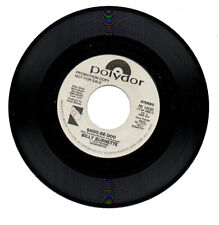
BILLY BURNETTE 45 RPM Promo Record "SHOO-BE-DOO" 1978 Rock Unplayed MINT
$6.70
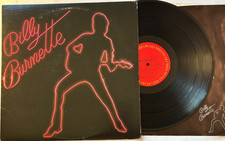
Billy Burnette - Self-Titled LP - 1980 1st Pressing 12" Columbia LP + Lyrics VG+
$4.50
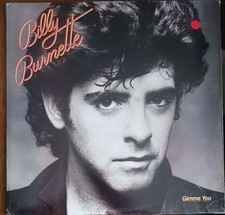
BILLY BURNETTE - GIMME YOU - 1981 COLUMBIA RECORDS VINYL ALBUM - (VG/VG+)
$5.00
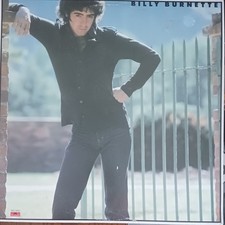
BILLY BURNETTE - (SELF- TITLED) - 1979 POLYDOR RECORDS PROMO VINYL LP - (VG/VG)
$5.50
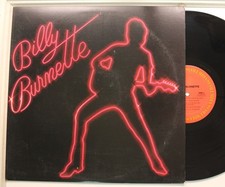
Billy Burnette Lp Self Titled On Columbia - Vg+ To Vg++ / Vg++
$11.99


 Linear Mode

