
| |
|
#1
 04-26-2003, 04:46 PM
|
|||
|
|||
 I have a question
I'm trying to play the say you will c.d on my computer, but the enhanced part keeps coming up and there is so place on that part to select just play.
What I want to do is copy this c.d to my hard drive so I can select songs that I want so I can make a custom cd. When i go into my computer and click on the drive the cd is in there is still no play selection, just auto play and other things, the auto play brings up the enhanced part again. Can some one help me with these questions before I pull my hair out. I have windows xp. thanks 
|
| . |
|
#2
04-26-2003, 05:05 PM
|
||||
|
||||
|
I experienced the same problem, however I had no problem saving the songs on my hard disk (Windows XP as well, BTW). Just try ripping the songs with your usual CD burner software and save them "from there" to your hard disk, that works without any problems for me.
Hope I could help you. 
|
 |
|
|
 Similar Threads
|
||||
| Thread | Thread Starter | Forum | Replies | Last Post |
| Question | littlelies7 | Rumours | 2 | 04-11-2004 12:00 AM |

$5.40
Heavy Metal by Bob Brunning - Hardcover 1999 - VERY GOOD
$8.44
1970s Pop - Hardcover By Brunning, Bob - GOOD
$3.40
Bob Brunning Sound Trackers Music Series Hardcover 6 Book Lot Pop, Metal, Reggae
$99.99
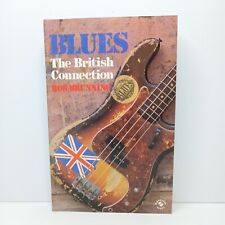
Blues: The British Connection by Bob Brunning
$27.58


 Linear Mode

