
| |
|
|||||||
 |
|
|
Thread Tools | Display Modes |
|
#1
 03-04-2011, 08:28 AM
|
||||
|
||||
 Quick Question about setting Up A Header!
Hey All,
I have Microsoft Word 2008 for my Mac. I just had a quick question. I'm wanting to have, in the upper right hand corner of my document, my last name and page numbers. I tried creating my own header, but that jacked up the spacing on the first line on the page, so I was wondering what I should do. I know this is a pretty simple question, so bear with me! Hope all is well with everyone! Thanks, Ethan
__________________
New Song, "What Love Is"- Check it Out! 

|
| . |
|
#2
03-04-2011, 10:46 AM
|
||||
|
||||

I'm using the Windows version...but they can't be that different. Go to the INSERT tab at the top; about halfway across the top of your screen there will be buttons for HEADER, FOOTER and PAGE NUMBER.
Click the header button, and select the layout from the options presented. Then click the page number button and do the same.
__________________
I'm not the man you think I am. My love has never lived indoors - I had to drag it home by four, hired hounds at both my wrists, damp and bruised by strangers' kisses on my lips. But you're the one that I still miss. Neko Case
|
|
|
|

![Christine McVie - In The Meantime [New CD] picture](/vintage/img/g/nRIAAeSwBM9pHfKK/s-l225/Christine-McVie-In-The-Meantime-New-CD-.jpg)
Christine McVie - In The Meantime [New CD]
$17.25

christine mcvie hand signed 1970s excellent Fleetwood Mac – Mystery To Me lp33
$284.29
![Christine McVie - Christine Mcvie [New CD] picture](/vintage/img/g/2jkAAeSwFlFpHc17/s-l225/Christine-McVie-Christine-Mcvie-New-CD-.jpg)
Christine McVie - Christine Mcvie [New CD]
$17.25
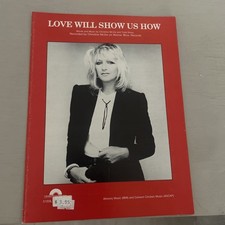
CHRISTINE McVIE "LOVE WILL SHOW US HOW" Sheet Music P/V/G 1984 Unused
$18.00

Christine McVie 1984 LP Warner Bros. Records Fleetwood Mac 9 25059-1
$9.99


 Linear Mode

