
| |
|
|||||||
 |
|
|
Thread Tools | Display Modes |
|
#1
 03-06-2010, 08:39 AM
|
||||
|
||||
 are there any tech savvy peeps here? I have an issue
Hi All,
I turned on my lap top this morning and noticed an "x" on my volume icon on the bottom right hand corner. When I put the mouse over it it reads "no audio output device is installed." When I right click it the option for "open volume mixer" is grayed out - it won't let me choose or open it. What the hell happened? I have my VJ gig tonight and if I can't resolve this I'm gonna have to play DVDs on home DVD players, which is gonna SUCK. It may be something simple - if anyone can help I'd greatly appreciate it. Thanks! 
|
| . |
|
#2
03-06-2010, 09:19 AM
|
|||
|
|||
|
I'm not sure if this will work, depending on what operating system you're running, but if you go to 'Control Panel' and then 'Sounds and Audio Devices' in Windows XP then click on the 'Hardware' tab it should bring up a list of all the hardware for audio things you've got on your computer. If you click on the name of your audio device to see the status and try trouble shooting it. Maybe even just try switching it off and enabling it again.
If it's not listed then something has probably gone wrong with your drivers for your soundcard. They may have got deleted somehow. If you know the make of the soundcard then try Googling the make and model and add "drivers" to the end of the search. A lot of these companies have the drivers to download from their website. If you can find it then it's just a case of downloading and reinstalling it (they're usually quite small files). I'm not sure if that will help as I'm not particularly computer savvy myself but I've had similar issues before. I hope you get it sorted before your VJ gig tonight.
|
|
#3
03-06-2010, 11:57 AM
|
||||
|
||||
|
Yes to me,It sounds like your sound card drivers got followed up.if you have a backup cdrom that came with the laptop.these days most new computers dont supply the backup cd/dvdroms.probably the best bet is go to the laptops manufactures support website and lookup the laptops model number no# and read the info and download the update driver for the laptop,and follow Peestie's instructions to get it up and running,I had the same problem with my desktop a couple of years ago.Beware of those freedriver websites, they sometimes have spyware and viruses hanging in the wings.I got hammered with spyware from one of them awhile ago.
p.s. Goodluck ,I hope you will get it up and running for your show tonight..
__________________
Skip R........  Stevie fan forever and ever amen....... Stevie fan forever and ever amen.......the Wildheart at Edge of Seventeen and the Gypsy..... My sweet Buttons .I love you. RIP 2009 to 08/24/2016
|
|
#4
03-06-2010, 03:27 PM
|
||||
|
||||
|
Thanks for the info guys, unfortunately I’ve had no luck. I’m heading over to a friend’s house before I go to the club, a fellow DJ and he’s tech savvy so … I’m keeping my fingers crossed. If not, I’ll have to do what I did the 8 years prior to me swithing to a lap top and DJ software - play DVDs on home DVD players - OH THE HORROR.
|
|
#5
03-06-2010, 07:55 PM
|
|||
|
|||
|
its happened to me before, just mess around restarting your computer and stuff, always works for me
|
|
#6
03-06-2010, 08:27 PM
|
||||
|
||||
|
If you go to device manager through the control panel, you'll probably see your sound driver has a yellow exclamation mark. You can try reinstalling it... if that doesn't work, it may possibly have something to do with the Windows registry, although I don't know how to fix that... (Once I "lost" my DVD drive, and after two hours of manual efforts I found a zip file, CDgone, which automatically removed the bad registry entries upon a restart... someone may have created a similar file for the sound card...)
The best option's probably to type in microsoft and that error message into google, to see what ms has to say... (Of course the real solution's just to use Linux...  ) )
__________________
The two essentials for a healthy mind: 1. Philosophy & Science 2. Fleetwood Mac NB. Not necessarily in that order...
|
|
|
|

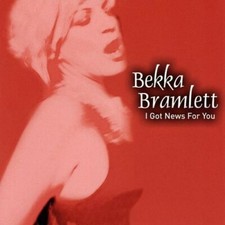
BEKKA BRAMLETT - I Got News For You - CD - **Excellent Condition** - RARE
$49.99
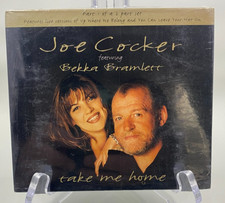
NEW - JOE COCKER - Take Me Home HTF UK CD Single feat. Bekka Bramlett
$7.49
Bekka Bramlett "I Got News For You" CD In Mint. Shongaloo Records LLC 1707. 2009
$45.00
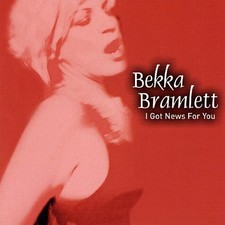
BEKKA BRAMLETT - I Got News For You - CD - **Excellent Condition** - RARE
$49.75
RARE Fleetwood Mac Dave Mason Bekka Bramlett Era 93 Original WB Press Kit w 8x10
$69.99


 Linear Mode

