
| |
|
#1
 12-26-2008, 09:14 PM
|
||||
|
||||
 Technical Computer Support
Hey, hope everyone had a nice Christmas & hope everyone has a Happy New Year
 . .I need some technical computer help as I am afraid I will mess everything up. My husband bought a little Acer Netbook & I, who is not computer savy whatsoever, need to hook him up to the Internet. I have desktop computer with DSL connection. His netbook came with a D-Link Router. I guess I need to hook this router up to the DSL modem. Has anyone ever done this before? His netbook apparently has some sort of card so that he can get on the Internet, but I don't believe my desktop does. When I hook this router up, will my desktop still be able to get on the Internet or will I need a card installed in it? Is hooking up this router complicated? Any advice here would be greatly appreciated>  Thanks, Lee  
|
| . |
|
#2
12-27-2008, 09:36 AM
|
||||
|
||||

Short answer: Yes, it should still have internet.
Most routers hook into the internet source (the DSL Modem) and then a computer. If the desktop has internet right now, it is probably plugged directly into the modem but an ethernet cable (the one with the fat, square head). The router should have set up instructions, which I would guess would tell you to plug the router into the modem and plug the desktop into the router rather than the modem. Sorry if that wasn't clear (or if I just gave you wrong advice)!
|
|
#3
12-27-2008, 02:10 PM
|
||||
|
||||
|
The d-link is a wireless router, so you shouldn't need a hard connection between your PC and the DSL modem once you've configured both devices for wireless communication.
If you didn't get instructions on how to set this up, you can Google the information. I recently purchased an Acer Aspire notebook and can attest to the fact that onboard technical information is scanty at best. If you bought your Acer at Best Buy, like I did, I believe Acer has a contract with the Geek Squad at Best Buy, so the Geek Squad will be "more than happy" to get you up and running, for a price. You can try contacting Acer support, but don't offer any information about purchasing at Best Buy. You have a 30 day "new computer" period where Acer will help get you up and running. They will know by your PCs serial number that you bought it at BB. The first time I called, the technician helped me. The second time I called (within the 30 days period) the technician referred me to Geek Squad. Try this, although I don't know how accurate e-how articles are; http://www.ehow.com/how_2091714_set-...paign=yssp_art Here's another one with directions for an AT&T DSL modem: http://www.dslreports.com/faq/7125 You should probably Google "d-link router" followed by the name of your modem to get specific instructions. Once you get your router set up and your PC on the internet, it is important to also establish security so other people can't surf your connection. I believe 300 feet away from your router is max where someone can surf your connection. Watch for parked cars in front of your house ... LOL! I understand if someone surfs porn using your connection, you can be responsible. Use WPA2-Personal as your security protocol and do not broadcast your router name. This will make sense to you as you work with configuring security. Good luck! laura
|
|
#4
12-27-2008, 06:36 PM
|
||||
|
||||
 Thanks
Thanks for the help. I put in the CD (which I had a time getting started) & it walked me through the installation. I followed it & hooked all the cables up & did the codes etc. & now my husband can FINALLY quit bugging me to get him hooked-up to the Internet. He is now on!
 Lee
|
 |
|
|


Christine McVie 2 CD Lot: In The Meantime + Lindsey Buckingham
$12.00

CHRISTINE MCVIE Self-titled 1984 12” LP Vinyl Record Album : 1-25059
$7.00
![Christine McVie - In The Meantime [New CD] picture](/vintage/img/g/nRIAAeSwBM9pHfKK/s-l225/Christine-McVie-In-The-Meantime-New-CD-.jpg)
Christine McVie - In The Meantime [New CD]
$17.25
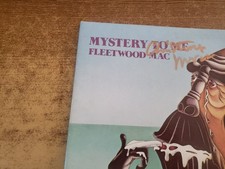
christine mcvie hand signed 1970s excellent Fleetwood Mac – Mystery To Me lp33
$284.29

Christine McVie of Fleetwood Mac on 7/19/78 in East Troy Wi Old Photo
$6.96


 Linear Mode

