
| |
|
#1
 02-25-2004, 04:17 PM
|
|||
|
|||
 11/6/79 TUSK show at STG
hi all,
get this show NOW! best sounding tusk era show ive heard outside the 80 live album, and ive heard my share of clunkers details and artwork at http://www.sharingthegroove.org/msgb...threadid=44412 torrent at http://www.sharingthegroove.org/msgb...&postid=541029 torrent FAQ at http://www.sharingthegroove.org/msgb...?s=&forumid=18 the setlist Fleetwood Mac November 6, 1979 "Shine Angel" Checker Dome St. Louis, MO Disc 1: 01. Intro / Say You Love Me 02. The Chain 03. Dreams 04. Not That Funny 05. Over and Over 06. Oh Well 07. What Makes You Think You're the One 08. Oh Daddy 09. Save Me a Place 10. Landslide 11. Tusk 12. Angel 13. You Make Loving Fun 14. I'm So Afraid Disc 2: 01. World Turning 02. Go Your Own Way 03. Sisters of the Moon 04. Blue Letter 05. Songbird ------------------ 06. Second Hand News 07. Don't Stop 08. Rhiannon 09. Gypsy 10. Love in Store 11. Never Going Back Again 12. Brown Eyes 13. Sara 14. Hold Me 6-14, unknown 82 material that's all for everyone, -->>mikem, lbi, nj 
|
| . |
|
#3
02-25-2004, 05:40 PM
|
||||
|
||||
|
What kind of format is that????
|
|
#4
02-25-2004, 07:09 PM
|
||||
|
||||
|
Quote:
|
|
#5
02-25-2004, 07:33 PM
|
||||
|
||||
|
Nothing that I have will open it.
Someone said to read this link. I followed the thread. http://flac.sourceforge.net/ But just as soon keep the formats I have Last edited by Mystical88; 02-25-2004 at 07:39 PM..
|
|
#6
02-25-2004, 08:16 PM
|
||||
|
||||
|
My god, I've been reading endlessly about this stuff. Is there a computer genius here, that can tell us how to use this torrent stuff?
|
|
#7
02-25-2004, 10:17 PM
|
||||
|
||||
|
Well, I'm no computer genius, but I do know that it's very cool
 You basically download the whole show (in this case a show, or whatever else) as one file, yet, somehow, all of the tracks are separate files. You need the program that downloads these to be able to, well, download them, as well as an SHN/FLAC decoder. I like it a lot tho...It flows from one track to the next without any gaps. Ok I've babbled enough, sorry I cant be of more help....I'm not that great with computers. You basically download the whole show (in this case a show, or whatever else) as one file, yet, somehow, all of the tracks are separate files. You need the program that downloads these to be able to, well, download them, as well as an SHN/FLAC decoder. I like it a lot tho...It flows from one track to the next without any gaps. Ok I've babbled enough, sorry I cant be of more help....I'm not that great with computers.By the way, I'm downoading a Talking Heads concert from STG right now....It's moving fast!, unlike others, that can take like 40 hrs...
|
|
#8
02-25-2004, 11:15 PM
|
|||
|
|||
|
STG FLAC & SHN/BIT TORRENT Help
ok
here's a link for the bit torrent faq http://www.sharingthegroove.org/msgb...&threadid=1450 a torrent file is akin to a zip file- all the songs, setlist and sometimes artwork is combined into one file, which you download-these are big files, and not for the faint of heart! once the download is successful, you have a folder on your drive, with all the tunes, sets and grfx in it- unwrapped and ready to go- SHN and FLAC can be converted to WAV or even MP3 (not recommended) - or, with a plugin, played in Winamp or WMPlayer9. SHN & FLAC (as well as MKW) files are music file formats that are lossless- meaning, no data has been lost upon compression- unlike mp3, which is a LOSSY format (data is lost upon compression) here's the text of the FAQ- go to the page http://www.sharingthegroove.org/msgb...&threadid=1450 where all the hyperlinks are valid. save me a place, -->>mikem, lbi, nj The Bit Torrent (BT) Program First, the software. Bit Torrent 3.2.1. Clicking that will start the download of the BT program. If you want BT's webpage: Bit Torrent download page. The program file you will have downloaded for BT will look like this: bittorrent-3.2.1.exe. Double click that to install BT. When you do this, a confirmation box will pop up that says BT has successfully installed. You will not see an icon on your computer for BT. There will not be a program to open. There's not a graphical user interface, in the sense that other programs have one. The only time you will see BT is when you're downloading or uploading something. I believe this is what's called a "frontend." The .torrent Link. When you have this installed, you can start downloading shows! It's simple, but very misunderstood. Find a link that ends in ".torrent." There are plenty on Sharing The Groove but you can find others everywhere. Once a link is found, there are a couple of ways to approach downloading. My preference is this: Right click the .torrent link, select "Save Target As..." and save the .torrent link to somewhere on your computer familiar to you. I have a folder set up in My Documents for the very purpose of saving torrent links. Once you've saved the torrent link, you can begin downloading without having to go to the webpage the link came from. This is easier because if you want to restart the download, you can use the link from your computer and not have to go all over the net to find the right one again. The alternate to this is to simply click the torrent link. Yes, this will start the download. But some people have problems with this because of interference from their temporary internet files (and cache, history, basically everything involved in internet storage). For whatever reason, it helps to clean all your internet files before using this .torrent method. Also, if you don't complete the download in the first try and the website hosting the .torrent you're downloading isn't available, then you have no way to restart the download. Starting Downloading. So open the folder on your computer that contains your saved .torrent links. Here's where we'll start the BT program, and soon the download. There are at least two ways to open the .torrent link, too. The preferred method is this: Right click the .torrent file then select "Open With." If you don't see "btdownloadprefetched", click the "choose program" option, and find it there. After the first time you use BT this way, you'll have the option of using "btdownloadprefetched." Select that. Alternatively btdownloadgui is rumored to sometimes be in the place of the other option. If it is, it should work just fine too. This could be a difference in version 3.2.1 (says btdownloadgui) and 3.1 (says btdownloadprefetched). That's just semantics. The other possibility is to double click the .torrent link. If you've previously associated the .torrent files with notepad (for whatever reason), notepad will probably be the default opening program. So if you just double click the .torrent, then notepad will open and the download will not start. While this method might (and actually probably will) work for you, it's not preferred since there's a possibility the download won't start like you want it to. First Opening of BT. When BT opens, it will ask you where to save the files. Select somewhere easy to remember, because there's no point in downloading something and then forgetting where you put it. (Of course a search for .shns will be easy enough to find them...) I usually select as the location the same folder where I saved the .torrent link, because that's where I'm accustomed to looking. Allocating Files. When you've successfully started the .torrent link, BT will pop up and it will do a few things. First, it will allocate the space on your computer for the files you're about to download. A blue bar will start from the left and the percent will rise quickly until the files are allocated. This process will be short, probably under a minute. Will the files be on your computer at this point? Well, not really. Yes, you'll see them and they'll have the correct file size. But the way BT works is that it allocates the necessary space to your computer by telling your computer what the files are and in what folders they will be. So you'll see the proper files in their proper place with their proper size, but those are basically shells of the files. You can understand why BT is doing this: If you started a download and you didn't have enough free space on your hard drive for the entire download, you'd be screwing everything up, not only for you, but possibly for everyone else, since they will be downloading from you, too. So BT is basically checking that you have the required space first and downloading later. A good way to picture the process is this. Picture a empty drinking glass. You want to set the glass on a table, but if the table is completely full, then you can't put the glass on the table. If there's room for the glass, you can put the glass down, and then you can fill it with a tasty beverage. The table is your hard drive. If there's room, it will allow an empty glass (the shells of the files you want to download) on the table. And if it allows that, then it will allow you to start filling these shells with the tasty beverage (in this case, music files.) At this point, you'll be seeing the files on your computer. Trying to play the files, convert the files, check their md5 checksum, basically doing anything at all to or with the files at this point is bad. Leave them alone. Connecting To Peers. After files have been allocated, BT will begin "connecting to peers." This process might take 10 seconds to start, or it might take minutes. And if you're patient, and "connecting to peers" stays up, it will not hurt to leave it like that, because eventually, you probably will connect to peers. Ideally, however, you will connect to peers very soon (under a minute, probably), and download will begin. The Download. In BT, you will see two numbers. The first will be "Download rate:" and this is the first number that will rise. It might rise slowly, and depending on your connection speed, you might go as high as 250 (I've read reports of 1150), but common numbers might be more like 20 to 40. This number is based on a couple of things. First, on your own connection speed. Secondly, it depends on how many people there are downloading the show at the moment. Since you will be downloading parts from them, the more people, the better it is for you. If you're getting low speeds (1 to 5Kb/s) then it's probably the case that not many people are still connected to the .torrent. This can happen if the .torrent is old (a week is old for a torrent). If you got the .torrent from a message board, you can bring a topic to the top and ask people to reconnect their download. New topics aren't really necessary. If you're one of the lucky select few, don't be surprised of numbers in the hundreds. The blue bar above will start at zero percent, and since you're downloading, you'll see this percent slowly rise. Take note, however, this is not a fast process. I'll use me for an example and say that a show for me takes about 20 hours. Yes, hours, and yes 20. I'm on a cable modem, so that should give you an idea how long yours might take. If you're told it's going to take a very long time (ie 300 hours), then it's likely that there are no seeds (people with the file completed) who still have their window open. Asking nicely for people to open their windows by posting in the BT thread (with the .torrent link) could help. If you think your download has taken only minutes, please reread the section labeled Allocating Files. This is not a fast process. It will take a long time to get the show you want. Just like in the allocating process, do not try to use/convert/check these files while they are downloading. You very well might get some music from some, yes, but you will more than likely also cause errors, causing the whole process to take even longer. The Upload. While you are downloading, even after you've downloaded a very little bit of the file, you wil notice that the "Upload rate:" will rise. An understanding of what BT does is helpful. BT distributes the load on the server of whatever file by allowing users to connect to each other and the server too. So you'll be getting you file from many people, possibly including the server, and you'll also be sharing whatever of the file you have to other people who don't have that part of the file. There's no way to keep from uploading. In fact, it'd be detrimental to squash your upload speed, since BT is designed to scale your download to your upload. The faster you upload, the faster you download! Reconnecting to complete a file or reshare a file. If for some reason you cannot complete a file, you can continue it from where you left off. Simply go to the .torrent link you want to restart and open it in the usual way. BT will open and ask where you want to save the file. BT is designed to remember where you saved the file originally, and will automatically go there. If it doesn't just find where you saved the file first and select that, and OK it. BT will start up, and it will check the exesting file. If you've got 50% downloaded already, BT will connect to peers and try to finish the file. If you've already finished the file, and your goal is to reshare the file, then BT will still check the file, but it will recognize the file as completed (100%) and your upload rate will most likely start to rise. The BT window with the blue bar is the window that needs to be open in order to share the file. If you stop the download at, say 50%, and think you can listen to the first half of the show, you'll be wrong. Remember, don't mess with these files before the download is 100% complete! The way BT works is that it fills in randomly amongst the entire folder. So your 50% will not necessarily (and in fact probably not be) the first 50% of the download. If you've changed any of the files, you might have a problem resharing. The best way to work with BT files is to leave them in their original folder and not to change the name of anything. If you want to continue sharing while using your download (after it's finished) probably the best thing to do is to copy the files to another location and work with them there. If you check a file, and it doesn't pass the md5 test (more about that later), then you can delete a single file and reconnect to BT, and that single file will be redownloaded. Download is complete, now what? Your BT window says "Downloaded successfully," and your "Download rate:" is nil. Now what? Well, if you are content to stop sharing at this point (ideally when the Upload rate is also zero), you're ready to start using the files. If you've downloaded .shn files, you'll most likely have folders that contain the .shns and .md5 files, along with one .txt file for a live music show. The .shn files are the actual music files, but they are very compressed (probably compressed about 50% on average). The .txt file is a notepad file that has information the taper or converter felt was important. Often included is the setlist to a show and the taping rig used to tape. The .md5 files are something that you can use to verify that the copy is exactly the same as the original copy that was made from the masters. Some say checking with the .md5 is superfluous, because BT itself has built in a system that makes sure the file's integrity remains. BT continually checks, and if there's an issue with any part, BT will just trash that small part and redownload it. If you have the newest version of BT, you'll probably see that it's doing this because it will say so in red letters below the Upload rate. However, checking with the .md5 is quick and easy, and so why not use it? It is there for a reason, after all. It's a great habit to be in anyway, because other places you might get .shns aren't as reliable as BT, so you'd need to check the files then. There are basically two ways to go about listening to these shows. I only use one of them, so I can only give a superficial description of the other. It first: If you only want to listen to these files on your computer, you may want to use Winamp. In order to listen to the .shns you'll have to get a plugin for Winamp called SHNamp. Information about that process can be found herem, at etree. If you want to be able to listen to these shows via a conventional audio system, you'll have to convert and burn them. To convert the files, you'll need the program mkwACT. This link will download mkwACT runtime libraries from etree. This link will download mkwACT .97 beta 1 from etree. A great install tutorial is here, at etree. If you follow etree's instructions, you will have no problems with the install. And since their instruction are so informative, there's no need for me to write help for that. Take note, however, that when you first try the install, a "successful" box will pop up. Do not click that immediately. Wait at least a minute, and if nothing happens, go on. What probably will happen is setup will commence, and the program will be properly installed. Like I mentioned, the etree link has a wonderful tutorial for that. Like I said, .shn is compressed by possibly half, so using mkwACT to convert the files to .wav (which is what you need) will eat up space on your hard drive fast. A one gigabyte show might take two gigabytes in .wav form. So be prepared for that. mkwACT, is a simple program to use. You simply select the .shn files (and only the .shn files, not the .md5s or .txts) and drop them into the mkwACT window. By default it will convert the .shn files to .wav files. Note, however, that mkwACT by default is set to delete the source files (the .shns). This is easily changed by selecting "File Options" and unchecking the box that indicates that mkw will delete the source files. If you intend to share your files via BT again (which you probably do), you must have the original files as they were when you downloaded them. If they're deleted by mkw, then when you try to share again, BT will just start downloading the files from 0%. Or if they're deleted by mkwACT (or however), and you reconvert the .wav to .shn, you will most likely not be able to share these files via the original BT link, since these .shns will differ ever-so-slightly from the originals, rendering them useless. It is not recommended to convert from .wav to .shn, because the files will not match the original md5s, and this will pollute the trading pool. 
|
|
#9
02-27-2004, 06:08 PM
|
||||
|
||||
|
This concert is also available on Mainstream records from Japan. It's a double disc set (silver factory pressed). I got it on ebay about a year ago and it features Stevie with her "Sara-bun" hairdo. Lindsey and Christine are shown on the back along with the tracklisting. I will agree, its one of the better 'boots' I've heard. One can only hope that maybe the Mac vaults will be opened soon and some of the better live stuff released.
__________________

|
|
#10
02-29-2004, 07:16 AM
|
||||
|
||||
|
I downloaded this concert and was happely surprised, with a few exceptions.
In you make loving fun, christine is singing way out of line, it lokes she can't get the right key, and Stevie sounds so powerfull, thanks for the tip. It absolutely was worth waiting for, Thanks Will 
__________________
Destiny is there if you want it, you just have to open the door and meet it halfway.
|
|
#11
02-29-2004, 07:39 AM
|
||||
|
||||
|
I really like that site, and the method of downloading. So far this weekend, I've downloaded three Talking Heads shows, a Pink Floyd show, and I'm currently trying to download a U2 show (Oh what a hassle
 ) )I don't often see FM around there, but it's cool when I do! I usually have the show if they post it though. Oh well, more for others! (By the way, you did a much better job of explaning than I could, Mike  ) )
|
|
#12
02-29-2004, 11:02 AM
|
||||
|
||||
|
Sounds great. I just need to read up some more.
I've heard about this Shn format before... Supposed to be great quality Thanks
|
|
#13
02-29-2004, 01:12 PM
|
||||
|
||||
|
Can someone explain to me, in ONE paragraph, basically what I'm supposed to do to download this stuff? I've not had much luck yet.
THANKS!
|
|
#14
02-29-2004, 02:47 PM
|
||||
|
||||
 Another site...
where you may find SHN links (And all types of music for trade) is http://db.etree.org
Brian j. ps-Btw, A few recommended U2 shows to have are the Oct.24,2001 & Oct.25,2001 New York City shows...In a word WOW!!!
__________________
"To acknowledge death is to accept freedom and responsibility." Last edited by estranged4life; 02-29-2004 at 02:52 PM..
|
|
#15
02-29-2004, 04:18 PM
|
||||
|
||||
|
20 hours on a cable modem? ****, I have dial-up!
I don't have the patience to download a show in 300 hours.
__________________

|
 |
|
|


Gimme You by Billy Burnette (Remastered CD, 1981, 2023) Fleetwood Mac
$10.98

BILLY BURNETTE "Cray Like Me" CD 2017 release STILL SEALED
$24.50
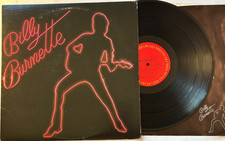
Billy Burnette - Self-Titled LP - 1980 1st Pressing 12" Columbia LP + Lyrics VG+
$6.00
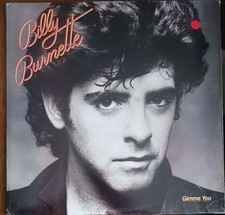
BILLY BURNETTE - GIMME YOU - 1981 COLUMBIA RECORDS VINYL ALBUM - (VG/VG+)
$5.00
![Billy Burnette - Billy Burnette [New CD] Rmst, Reissue picture](/vintage/img/g/0k8AAeSwKJppHhl1/s-l225/Billy-Burnette-Billy-Burnette-New-CD-Rmst-Reissue.jpg)
Billy Burnette - Billy Burnette [New CD] Rmst, Reissue
$15.32


 Linear Mode

