The Ledge

Go Back   The Ledge > Main Forums > Chit Chat
User Name
Password
Register FAQ Members List Calendar


Make the Ads Go Away! Click here.
Reply
 
Thread Tools Display Modes
  #1  
Old 10-23-2008, 10:51 AM
Musicman408's Avatar
Musicman408 Musicman408 is offline
Addicted Ledgie
 
Join Date: Apr 2006
Location: Somewhere out In The Back Of Your Mind, KY
Posts: 5,519
Default More iPOD Trouble: No Artist or Album Display Showing Up

Just curious if anyone has had this problem. I added a couple of FM CD's last night (and a couple of my songs), and all of the songs are just showing up as one long list. There is no option to search under artist or album....

Just wondering if any of you all have ever experienced this.

Thanks So Much,
Ethan
__________________
New Song, "What Love Is"- Check it Out!
Reply With Quote
.
  #2  
Old 10-23-2008, 11:53 AM
GoS's Avatar
GoS GoS is offline
Addicted Ledgie
 
Join Date: Aug 2008
Location: Reveille Hill
Posts: 661
Default

Quote:
Originally Posted by Musicman408 View Post
Just curious if anyone has had this problem. I added a couple of FM CD's last night (and a couple of my songs), and all of the songs are just showing up as one long list. There is no option to search under artist or album....

Just wondering if any of you all have ever experienced this.

Thanks So Much,
Ethan
What kind of iPod? Are you sure that all of the album and artist information is still there?

Just thought I would start with the obvious...
Reply With Quote
  #3  
Old 10-23-2008, 01:41 PM
ashton ashton is offline
Ledgie
 
Join Date: Jun 2007
Posts: 66
Default

I have this problem quite a bit. The issue is that the CDs, especially older ones, aren't being marked correctly when you import then to Itunes. I find that they often show under compilations, but not under the artist or the album.

If you use Itunes and go into the actual song titles, you can see how the ones that aren't showing differ from the ones that are showing correctly. Right click on the songs, select Get Info and then click the Info tab. This will show you how the song is categorized when it was imported. Sometimes Artist is filled-in but Album Artist is not and vice versa. In other cases, the Album name might not be filled-in.

If you fill-in the information and then update your Ipod, it should solve the problem.
Reply With Quote
  #4  
Old 10-23-2008, 03:13 PM
Musicman408's Avatar
Musicman408 Musicman408 is offline
Addicted Ledgie
 
Join Date: Apr 2006
Location: Somewhere out In The Back Of Your Mind, KY
Posts: 5,519
Default

They all are tagged and labeled. On iTunes, it says the artist and the title, and when the song is playing on the iPod, it has all the info..... but like I said, when I want to chose a song to play, it is only listed as a loooong list of songs. So choice to search by artist.
__________________
New Song, "What Love Is"- Check it Out!
Reply With Quote
  #5  
Old 10-23-2008, 03:18 PM
Lindsey Jr.'s Avatar
Lindsey Jr. Lindsey Jr. is offline
Addicted Ledgie
 
Join Date: Jan 2005
Location: Dendermonde, Flanders, belgium
Posts: 603
Default

How much did you pay for it and how old is it? Mine is 2 years old and it works perfect
__________________
"John, however, wasn't in the mood for idle chatter during the call, and ended the evening by inexplicably hurling a glass of vodka and tonic in Lindsey's face." - Bob Brunning
Reply With Quote
  #6  
Old 10-23-2008, 09:39 PM
Musicman408's Avatar
Musicman408 Musicman408 is offline
Addicted Ledgie
 
Join Date: Apr 2006
Location: Somewhere out In The Back Of Your Mind, KY
Posts: 5,519
Default

I've had the iPod for over a year, but have just now really started putting material on it. It holds 1,000 songs.
__________________
New Song, "What Love Is"- Check it Out!
Reply With Quote
  #7  
Old 10-23-2008, 11:02 PM
Villavic's Avatar
Villavic Villavic is offline
Addicted Ledgie
 
Join Date: Jun 2000
Location: Lima Peru
Posts: 6,361
Default

Quote:
Originally Posted by Musicman408 View Post
They all are tagged and labeled. On iTunes, it says the artist and the title, and when the song is playing on the iPod, it has all the info..... but like I said, when I want to chose a song to play, it is only listed as a loooong list of songs. So choice to search by artist.
Not sure if this the reason in your case, but sometimes it depends on the tag editor. I use STAMP sw to edit my mp3 files (album, genre) and since then I have not had any display problem, except for the album art that misteriously sometimes it is copied and sometimes not. I have the Ipod touch.
Reply With Quote
  #8  
Old 10-24-2008, 12:41 PM
Lindsey Jr.'s Avatar
Lindsey Jr. Lindsey Jr. is offline
Addicted Ledgie
 
Join Date: Jan 2005
Location: Dendermonde, Flanders, belgium
Posts: 603
Default

Quote:
Originally Posted by Musicman408 View Post
I've had the iPod for over a year, but have just now really started putting material on it. It holds 1,000 songs.


I hope it can be fixed, because they are too expensive to be broken!
__________________
"John, however, wasn't in the mood for idle chatter during the call, and ended the evening by inexplicably hurling a glass of vodka and tonic in Lindsey's face." - Bob Brunning
Reply With Quote
  #9  
Old 10-24-2008, 03:46 PM
KarmaContestant's Avatar
KarmaContestant KarmaContestant is offline
Addicted Ledgie
 
Join Date: May 2005
Posts: 3,911
Default

Quote:
Originally Posted by Musicman408 View Post
Just curious if anyone has had this problem. I added a couple of FM CD's last night (and a couple of my songs), and all of the songs are just showing up as one long list. There is no option to search under artist or album....

Just wondering if any of you all have ever experienced this.

Thanks So Much,
Ethan

Ethan, when the iPod comes on, the first screen should be a list that looks like this:

Music
Videos
Photos
Podcasts

etc...

If you click the "Music" tab, you should see:

Cover Flow
Playlists
Artists
Albums
Compilations

etc...

If this is not what you're seeing, then you're settings may need to be adjusted. Go back to the first screen and pick the options for "Settings". The next screen should read like this:

About
Shuffle
Repeat
Main Menu
Music menu
Volume Limit

(and several other options)

Scroll down to "Music Menu" and click the center button; the next screen should have a list of options. If there is a check-mark to the right of the option, then that is what you'll see when you pick "Music" from the main menu.

To add any of these options, just scroll down and click on them; the check-mark will appear and you're good to go.
Reply With Quote
  #10  
Old 10-24-2008, 05:03 PM
Musicman408's Avatar
Musicman408 Musicman408 is offline
Addicted Ledgie
 
Join Date: Apr 2006
Location: Somewhere out In The Back Of Your Mind, KY
Posts: 5,519
Default

Quote:
Originally Posted by KarmaContestant View Post
Ethan, when the iPod comes on, the first screen should be a list that looks like this:

Music
Videos
Photos
Podcasts

etc...

If you click the "Music" tab, you should see:

Cover Flow
Playlists
Artists
Albums
Compilations

etc...

If this is not what you're seeing, then you're settings may need to be adjusted. Go back to the first screen and pick the options for "Settings". The next screen should read like this:

About
Shuffle
Repeat
Main Menu
Music menu
Volume Limit

(and several other options)

Scroll down to "Music Menu" and click the center button; the next screen should have a list of options. If there is a check-mark to the right of the option, then that is what you'll see when you pick "Music" from the main menu.

To add any of these options, just scroll down and click on them; the check-mark will appear and you're good to go.
Thanks so much. I will try this, and we'll see what happens.
__________________
New Song, "What Love Is"- Check it Out!
Reply With Quote
Reply


Posting Rules
You may not post new threads
You may not post replies
You may not post attachments
You may not edit your posts

BB code is On
Smilies are On
[IMG] code is On
HTML code is On

Forum Jump


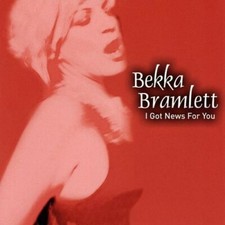
BEKKA BRAMLETT - I Got News For You - CD - **Excellent Condition** - RARE picture

BEKKA BRAMLETT - I Got News For You - CD - **Excellent Condition** - RARE

$49.99


NEW - JOE COCKER - Take Me Home HTF UK CD Single feat. Bekka Bramlett picture

NEW - JOE COCKER - Take Me Home HTF UK CD Single feat. Bekka Bramlett

$7.49


Bekka Bramlett

Bekka Bramlett "I Got News For You" CD In Mint. Shongaloo Records LLC 1707. 2009

$45.00


BEKKA BRAMLETT - I Got News For You - CD - **Excellent Condition** - RARE picture

BEKKA BRAMLETT - I Got News For You - CD - **Excellent Condition** - RARE

$49.75


RARE Fleetwood Mac Dave Mason Bekka Bramlett Era 93 Original WB Press Kit w 8x10 picture

RARE Fleetwood Mac Dave Mason Bekka Bramlett Era 93 Original WB Press Kit w 8x10

$69.99


All times are GMT -5. The time now is 04:54 PM.


Powered by vBulletin® Version 3.8.11
Copyright ©2000 - 2026, vBulletin Solutions Inc.
© 1995-2003 Martin and Lisa Adelson, All Rights Reserved