The Ledge

Go Back   The Ledge > Main Forums > Chit Chat
User Name
Password
Register FAQ Members List Calendar


Make the Ads Go Away! Click here.
Reply
 
Thread Tools Display Modes
  #16  
Old 06-18-2007, 05:05 AM
Gypsy-Rhiannon's Avatar
Gypsy-Rhiannon Gypsy-Rhiannon is offline
Addicted Ledgie
 
Join Date: Apr 2001
Posts: 6,012
Default

Quote:
Originally Posted by JazmenFlowers View Post
^^^
gosh, that I don't know.

have you tried to uninstall and then reinstall iTunes? it will wipe out your iTunes, but if all your stuff is still on your computer you can just drag it back in.
Well what do you know. For some reason my Norton Firewall had decided to block itunes! All sorted now though!
Reply With Quote
  #17  
Old 08-31-2007, 12:07 PM
michelle2677's Avatar
michelle2677 michelle2677 is offline
Addicted Ledgie
 
Join Date: Aug 2005
Location: at the railway station, waiting
Posts: 7,804
Default

alright itunes experts.

i go to my itunes library, go to the playlist "favorites" and hit the play button and it will only play two songs at a time. after that, I have to go in and manually hit "play" again, or the ">" button to get it to go to the next song.

(btw, I just found out that little trick a few weeks ago haha....hit that Right arrow button and it will go to the next song....probably old news, but just in case someone didn't know)

any suggestions? also, sometimes, when i play my itunes, it starts skipping like a cd would that hasn't happened in a while, but just figured i'd ask while I was at it.

thanks in advance
__________________
Photobucket
Reply With Quote
  #18  
Old 08-31-2007, 01:18 PM
JazmenFlowers's Avatar
JazmenFlowers JazmenFlowers is offline
Addicted Ledgie
 
Join Date: Jun 2001
Location: underneath all those rags...lavishly cocooned
Posts: 12,631
Default

^^^
that's weird.

I have heard about the skipping thing though a lot. how opposed to you to uninstall/reinstalling it?
Reply With Quote
  #19  
Old 08-31-2007, 06:00 PM
Chrislit18 Chrislit18 is offline
Addicted Ledgie
 
Join Date: Apr 2007
Location: on Earth. Yep.
Posts: 1,483
Default

Quote:
Originally Posted by michelle2677 View Post
alright itunes experts.

i go to my itunes library, go to the playlist "favorites" and hit the play button and it will only play two songs at a time. after that, I have to go in and manually hit "play" again, or the ">" button to get it to go to the next song.

(btw, I just found out that little trick a few weeks ago haha....hit that Right arrow button and it will go to the next song....probably old news, but just in case someone didn't know)

any suggestions? also, sometimes, when i play my itunes, it starts skipping like a cd would that hasn't happened in a while, but just figured i'd ask while I was at it.

thanks in advance
Are You sure that the songs are not unchecked?

If they are checked, I really dont know what to tell you
[when i found out the arrow trick i went around bragging at school for like a week ]

Some of my songs skip too, when I'm listening to them on the iPod. I just go back and restart the song and it doesnt do it for a while, its only on a few certain songs that it does it anyways.

I'm seriously beggining to loose my faith in Apple.

but I found a cool iTunes thingy out the other day:
I have too much GB in my library for my measly 4 gig mini, [and it only holds 3.7 gigs.] and it said to me 'would you like to create a playlist of all of your preferences?' and Im all 'ok', so i clicked the 'yes' button. and it made a playlist with all the stuff i actually listen too, PLUS all of the FM/Stevie demos that I havent gotten around to listen to yet because of time restraints. It picked all of my favorite songs plus and put them in a folder, to put on my ipod without all the hassle of me doing it.

I was very pleased by that
__________________
~Christine~
Photo Sharing and Video Hosting at Photobucket
Hail To the Trojan Man!
Reply With Quote
  #20  
Old 08-31-2007, 07:10 PM
LiamMcConville's Avatar
LiamMcConville LiamMcConville is offline
Registered
 
Join Date: Mar 2007
Posts: 1,256
Default

Quote:
Originally Posted by michelle2677 View Post
alright itunes experts.

i go to my itunes library, go to the playlist "favorites" and hit the play button and it will only play two songs at a time. after that, I have to go in and manually hit "play" again, or the ">" button to get it to go to the next song.

(btw, I just found out that little trick a few weeks ago haha....hit that Right arrow button and it will go to the next song....probably old news, but just in case someone didn't know)

any suggestions? also, sometimes, when i play my itunes, it starts skipping like a cd would that hasn't happened in a while, but just figured i'd ask while I was at it.

thanks in advance

I think the "checking" will help your first problem.

As for your second problem, my old computer used to do that just because it didn't have enough memory to handle everything at once. So it skips because other things are taking up too much memory and the computer can't keep the song playing constantly.

If it happens even when you aren't doing anything else, its because when you uploaded the song from a CD, the CD must've been scratched or had something on it. My "Edge of Seventeen" Live from the Crystal Visions CD has a skip in it at the exact same spot everytime I play so I know its the CD and not the computer.

Ok...For all you avid iTunes users:

I lost ALL my music a long time ago because I didn't have it stored all in one place, so to keep this from happening to yourself I recommend you do this.

So find your "MY MUSIC" file and it should look something like this...

Click "iTUNES" and it should bring you to a folder that looks like this:

Photo Sharing and Video Hosting at Photobucket

In the ITUNES folder, click "iTUNES MUSIC" and it should take you here:

Photo Sharing and Video Hosting at Photobucket

Furthermore, by selecting an artists file...You'll find folders titled as the individual album titles appear on iTunes, like this:

Photo Sharing and Video Hosting at Photobucket

Ok. So EVERYONE who has iTunes has this bank of folders. Unfortunetly, when you add new music to your iTunes, every few people add the music and folders into these previously made sub folders.

Alot of times, I've lost songs and music and they weren't "findable" in iTunes becuase they were outside of these folders.

To add music to these pre-made folders, create a folder within the Artists folder who's music you're going to be adding to iTunes. Then extract the files to that folder. When you've done this...Import the entire folder by clicking "ADD FOLDER TO LIBRARY" from the iTunes "FILE" menu. Like this:

Excuse the unanswered IM.

Photo Sharing and Video Hosting at Photobucket

After you've added the folder, it will be in the correct spot with all the Title, Artist, and Album information already inputed. Sometimes this information isn't retained when downloaded, and you have to re-enter it. Highlighting the entire group, right clicking, and selecting "GET INFO" will make this process faster. You also can add Album Art to the entire batch at once.

Photo Sharing and Video Hosting at Photobucket

Photo Sharing and Video Hosting at Photobucket

To make this process simpler, iTunes will organize your entire library by going to the "ADVANCED" iTunes menu, and clicking "CONSOLODATE LIBRARY."

Photo Sharing and Video Hosting at Photobucket

In the end, its a lot easier to have all your music organized in one place. As opposed to one folder in My Documents, one folder in My Pictures, one folder on the Desktop, etc.
Reply With Quote
  #21  
Old 08-31-2007, 08:42 PM
Chrislit18 Chrislit18 is offline
Addicted Ledgie
 
Join Date: Apr 2007
Location: on Earth. Yep.
Posts: 1,483
Default

Jeeze, I bet that took a long time to do all those screen caps

Thanks for the info, Ill have to do that sometime, seeing as Im parinoid about loosing info on my comp

BTW Liam, is your itunes the new version or a few past?
I still havent upgraded mine for a while [cause I dont see the point...sadly], and I would like to know if this way works for all versions of the program. I think Im verison 1.4.1]
__________________
~Christine~
Photo Sharing and Video Hosting at Photobucket
Hail To the Trojan Man!
Reply With Quote
  #22  
Old 08-31-2007, 08:43 PM
michelle2677's Avatar
michelle2677 michelle2677 is offline
Addicted Ledgie
 
Join Date: Aug 2005
Location: at the railway station, waiting
Posts: 7,804
Default

^^^ so I see you were listening to dreams, if anyone falls and rhiannon

thanks for the heads up but mine aren't even organized enough for me to do all that yet.


and btw everyone-everything is checked in that playlist, so any other suggestions?? it only happens on my laptop. The computer kinda goes into sleep mode if I haven't touched it in a few minutes, so I thought taht might have been it, but I stayed on it for awhile and it did the same thing.

and jazzy-i'm not completely opposed to it, but it keeps asking me if I want to update the version, do you think I should do that first? and try, or just reinstall?
__________________
Photobucket
Reply With Quote
  #23  
Old 08-31-2007, 08:45 PM
irishgrl's Avatar
irishgrl irishgrl is offline
Addicted Ledgie
 
Join Date: Dec 2003
Location: in the past
Posts: 7,189
Default

Quote:
Originally Posted by Chrislit18 View Post
I figured it out. by mistake actually lol.
I did pretty much what Jaz just wrote, I put them in my files with my other downloads, then I just dragged them
I didnt think that I could drag them at all, but I guess I was wrong. Thanks for everyones help though!

I would love to have a mac personally, but I'm stuck with my hp until college
IMO, the Mac's put PC's to shame.
Reply With Quote
  #24  
Old 08-31-2007, 08:47 PM
irishgrl's Avatar
irishgrl irishgrl is offline
Addicted Ledgie
 
Join Date: Dec 2003
Location: in the past
Posts: 7,189
Default

Quote:
Originally Posted by LiamMcConville View Post
I think the "checking" will help your first problem.

As for your second problem, my old computer used to do that just because it didn't have enough memory to handle everything at once. So it skips because other things are taking up too much memory and the computer can't keep the song playing constantly.

If it happens even when you aren't doing anything else, its because when you uploaded the song from a CD, the CD must've been scratched or had something on it. My "Edge of Seventeen" Live from the Crystal Visions CD has a skip in it at the exact same spot everytime I play so I know its the CD and not the computer.

Ok...For all you avid iTunes users:

I lost ALL my music a long time ago because I didn't have it stored all in one place, so to keep this from happening to yourself I recommend you do this.

So find your "MY MUSIC" file and it should look something like this...

Click "iTUNES" and it should bring you to a folder that looks like this:

Photo Sharing and Video Hosting at Photobucket

In the ITUNES folder, click "iTUNES MUSIC" and it should take you here:

Photo Sharing and Video Hosting at Photobucket

Furthermore, by selecting an artists file...You'll find folders titled as the individual album titles appear on iTunes, like this:

Photo Sharing and Video Hosting at Photobucket

Ok. So EVERYONE who has iTunes has this bank of folders. Unfortunetly, when you add new music to your iTunes, every few people add the music and folders into these previously made sub folders.

Alot of times, I've lost songs and music and they weren't "findable" in iTunes becuase they were outside of these folders.

To add music to these pre-made folders, create a folder within the Artists folder who's music you're going to be adding to iTunes. Then extract the files to that folder. When you've done this...Import the entire folder by clicking "ADD FOLDER TO LIBRARY" from the iTunes "FILE" menu. Like this:

Excuse the unanswered IM.

Photo Sharing and Video Hosting at Photobucket

After you've added the folder, it will be in the correct spot with all the Title, Artist, and Album information already inputed. Sometimes this information isn't retained when downloaded, and you have to re-enter it. Highlighting the entire group, right clicking, and selecting "GET INFO" will make this process faster. You also can add Album Art to the entire batch at once.

Photo Sharing and Video Hosting at Photobucket

Photo Sharing and Video Hosting at Photobucket

To make this process simpler, iTunes will organize your entire library by going to the "ADVANCED" iTunes menu, and clicking "CONSOLODATE LIBRARY."

Photo Sharing and Video Hosting at Photobucket

In the end, its a lot easier to have all your music organized in one place. As opposed to one folder in My Documents, one folder in My Pictures, one folder on the Desktop, etc.
HOLY MOLY! will you be my roommate? or boytoy.....you are awesome!
Reply With Quote
  #25  
Old 08-31-2007, 08:51 PM
Chrislit18 Chrislit18 is offline
Addicted Ledgie
 
Join Date: Apr 2007
Location: on Earth. Yep.
Posts: 1,483
Default

Quote:
Originally Posted by irishgrl View Post
IMO, the Mac's put PC's to shame.
I totally second that. Just my mom picked this thing out when I was like 11...
only 3 more years to go....*sigh*
__________________
~Christine~
Photo Sharing and Video Hosting at Photobucket
Hail To the Trojan Man!
Reply With Quote
  #26  
Old 08-31-2007, 09:59 PM
LiamMcConville's Avatar
LiamMcConville LiamMcConville is offline
Registered
 
Join Date: Mar 2007
Posts: 1,256
Default

Quote:
Originally Posted by irishgrl View Post
HOLY MOLY! will you be my roommate? or boytoy.....you are awesome!
Tempting offer.
Reply With Quote
Reply


Posting Rules
You may not post new threads
You may not post replies
You may not post attachments
You may not edit your posts

BB code is On
Smilies are On
[IMG] code is On
HTML code is On

Forum Jump


BEKKA BRAMLETT - I Got News For You - CD - **Excellent Condition** - RARE picture

BEKKA BRAMLETT - I Got News For You - CD - **Excellent Condition** - RARE

$49.99
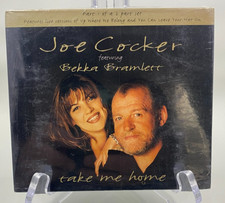


NEW - JOE COCKER - Take Me Home HTF UK CD Single feat. Bekka Bramlett picture

NEW - JOE COCKER - Take Me Home HTF UK CD Single feat. Bekka Bramlett

$7.49



Bekka Bramlett

Bekka Bramlett "I Got News For You" CD In Mint. Shongaloo Records LLC 1707. 2009

$45.00



BEKKA BRAMLETT - I Got News For You - CD - **Excellent Condition** - RARE picture

BEKKA BRAMLETT - I Got News For You - CD - **Excellent Condition** - RARE

$49.75
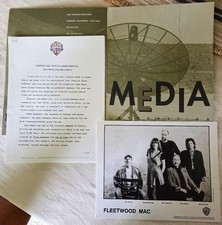


RARE Fleetwood Mac Dave Mason Bekka Bramlett Era 93 Original WB Press Kit w 8x10 picture

RARE Fleetwood Mac Dave Mason Bekka Bramlett Era 93 Original WB Press Kit w 8x10

$69.99


All times are GMT -5. The time now is 02:47 AM.


Powered by vBulletin® Version 3.8.11
Copyright ©2000 - 2026, vBulletin Solutions Inc.
© 1995-2003 Martin and Lisa Adelson, All Rights Reserved