The Ledge

Go Back   The Ledge > Main Forums > Chit Chat
User Name
Password
Register FAQ Members List Calendar


Make the Ads Go Away! Click here.
Reply
 
Thread Tools Display Modes
  #1  
Old 04-21-2006, 10:37 PM
diamondsnake's Avatar
diamondsnake diamondsnake is offline
Addicted Ledgie
 
Join Date: Jun 2003
Location: Florida
Posts: 3,026
Default iPod Video

I just got an iPod, which plays video! Does anyone know how to put a DVD (like the Fleetwood Mac: Live in Boston DVD) onto the actual iPod? I have no ideo how to rip the DVD and convert the video to an acceptable format. Does anyone else have one of these iPods? Any help would be greatly appreciated. Thanks!

PS: Does anyone know of any links to Stevie/Fleetwood Mac videos in MPEG/Quicktime format?
__________________
Christopher


We were frail...
Save us...
Reply With Quote
.
  #2  
Old 04-21-2006, 10:45 PM
JazmenFlowers's Avatar
JazmenFlowers JazmenFlowers is offline
Addicted Ledgie
 
Join Date: Jun 2001
Location: underneath all those rags...lavishly cocooned
Posts: 12,631
Default

I would love one, but since mine works fine I can't see spending the $.

is the extension you need .mpg and .qt?

if so, I've got some stuff I think.
Reply With Quote
  #3  
Old 04-21-2006, 10:50 PM
MoonChilde
Guest
 
Posts: n/a
Default

I do..I wish I was more computer literate so I could explain it to you..but I have some links here for you that will help..and hey if I can figure it out you will have no problems either,...I ripped my dance dvd onto it.and also have some videos that had been posted on here ,,,
I use this program..http://www.videora.com/en-us/Converter/xcast.html
it works very well..
Here we go


You need to download your dvd ripper, DVD Decrypter 3.5.4.0
-Go to Doom9 dot org to get this. (sorry but for some reason I can't put web addresses)
Click "Download" on the left column. Then it's halfway down the page under "Descrambling / Ripping tools"
**this is completely free & not some crappy trial thing**

You'll need Videora to convert the file to iPod video format
-Go to videora dot com to get this

-RIPPING THE DVD

1)Place the DVD you want to rip your video from into your DVD drive.

2)Launch DVD Decrypter.

3)Go to the Mode menu and select IFO I mode. This will give you access to two new tabs; Input & Stream Processing.

4)Go to the Tools menu, select Settings, go to the IFO tab, then under Options, change File Splitting to None and press OK.

5a)Go to the main screen and click the Input tab. It will automatically have the section open where the movie is located (usually "VTS_02"). The PGC file that's highlighted should be the movie you're wanting to rip, double-check this by looking at the time/length of the PGC file highlighted.
*NOTE: If you are downloading episodes from a TV show DVD (Simpsons, Family Guy, etc.) that has multiple episodes on one DVD, there will be a file for each episode (PGC 1, PGC 2, ...). Just highlight the one you want to rip - they're in the same order as they are on the DVD.

5b) Now click the Stream Processing tab. Check the "Enable Stream Processing" box at the top. Next, only select the first TWO boxes in the window. The 1st should say "Video" and the 2nd should say "Audio". Note that home encoded movies do not support subtitles of any kind and that your file can only have one type of audio.

6)Before you begin ripping your video, note the destination of the video file. This is where your raw DVD rip is going to go and it will be rather large in size. If you want to change the directory that DVD Decrypter will output to, click on the Browse button and navigate to the folder you want and press OK.

Now that you know where the movie file is going, click on the Decrypt button to start decrypting the DVD to your hard drive.

Once it is done, close DVD Decrypter. Expect a 4 GB to 6 GB movie to take about 12 to 18 minutes.
**for illustrations of the above steps, go to videora's Converter guides section on their webpage


-CHANGING FILE TO IPOD FORMAT

Start Videora iPod converter.
1) Click setup in the left nav.
1.5) Click the profiles tab.

2) Click new profile.

3) Now, configure that profile:

profile name: ipod

in the video settings section...
mode: MPEG-4 > CBR
resolution: 320x240
passes: one
bitrate: 768 kbps (384 kbps also works)
framerate: 29.97 fps
aspect ratio: 1:1 for full-screen
16:9 for wide-screen
(Note- you might want to creat 2 profiles "ipod full" & "ipod wide" and just have the only difference being the format size)

in the audio settings section...
bitrate: 128 kbps
sample rate: Input
channels: stereo

4) Click apply to save the profile.

-Now, you're ready to transcode.

1) Click convert on the left nav.

2) Click the transcode new video button.

3) Pick your source video (this is located where you had DVD Decrypter put the ripped DVD) The file should end in .VOB

4) Under quality profile, choose "ipod", the profile you created using the steps above. *(you have to select this profile EVERY time you transcode, it's not the default)*

5) Click start.


-NOW YOU'RE READY TO PUT THE VIDEO ON YOUR IPOD

1) In iTunes, under the File menu, select "add file to library". Find the transcoded mp4 file. Click on it, then press "open". The file should then be added to your library.
Note: By default, the transcoded videos pop out under the Videora directory ( C:\Program Files\VideoraConverter\Videos )


That's it. Sorry for the long post,
Reply With Quote
  #4  
Old 04-21-2006, 11:04 PM
amber's Avatar
amber amber is offline
Addicted Ledgie
 
Join Date: Jun 2004
Location: Fighting foh the Nohthun Stah...NO SPEED LIMIT! BITCH! THIS IS THE FAST LANE!!!
Posts: 23,178
Default

The above is what I did when I got mine, and by following the directions on a site, I was able to do it. It took awhile and was very frustrating, though.
Good luck!!!!
__________________
"Do not be afraid! I am Esteban de la Sexface!"
"In order to live free and happily, you must sacrifice boredom.
It is not always an easy sacrifice"

Whehyll I can do EHYT!! Wehyll I can make it WAHN moh thihme! (wheyllit'sA reayllongwaytogooo! To say goodbhiiy!) -
Reply With Quote
  #5  
Old 04-22-2006, 02:22 AM
diamondsnake's Avatar
diamondsnake diamondsnake is offline
Addicted Ledgie
 
Join Date: Jun 2003
Location: Florida
Posts: 3,026
Default

Quote:
Originally Posted by MoonChilde
I do..I wish I was more computer literate so I could explain it to you..but I have some links here for you that will help..and hey if I can figure it out you will have no problems either,...I ripped my dance dvd onto it.and also have some videos that had been posted on here ,,,
I use this program..http://www.videora.com/en-us/Converter/xcast.html
it works very well..
Here we go


You need to download your dvd ripper, DVD Decrypter 3.5.4.0
-Go to Doom9 dot org to get this. (sorry but for some reason I can't put web addresses)
Click "Download" on the left column. Then it's halfway down the page under "Descrambling / Ripping tools"
**this is completely free & not some crappy trial thing**

You'll need Videora to convert the file to iPod video format
-Go to videora dot com to get this

-RIPPING THE DVD

1)Place the DVD you want to rip your video from into your DVD drive.

2)Launch DVD Decrypter.

3)Go to the Mode menu and select IFO I mode. This will give you access to two new tabs; Input & Stream Processing.

4)Go to the Tools menu, select Settings, go to the IFO tab, then under Options, change File Splitting to None and press OK.

5a)Go to the main screen and click the Input tab. It will automatically have the section open where the movie is located (usually "VTS_02"). The PGC file that's highlighted should be the movie you're wanting to rip, double-check this by looking at the time/length of the PGC file highlighted.
*NOTE: If you are downloading episodes from a TV show DVD (Simpsons, Family Guy, etc.) that has multiple episodes on one DVD, there will be a file for each episode (PGC 1, PGC 2, ...). Just highlight the one you want to rip - they're in the same order as they are on the DVD.

5b) Now click the Stream Processing tab. Check the "Enable Stream Processing" box at the top. Next, only select the first TWO boxes in the window. The 1st should say "Video" and the 2nd should say "Audio". Note that home encoded movies do not support subtitles of any kind and that your file can only have one type of audio.

6)Before you begin ripping your video, note the destination of the video file. This is where your raw DVD rip is going to go and it will be rather large in size. If you want to change the directory that DVD Decrypter will output to, click on the Browse button and navigate to the folder you want and press OK.

Now that you know where the movie file is going, click on the Decrypt button to start decrypting the DVD to your hard drive.

Once it is done, close DVD Decrypter. Expect a 4 GB to 6 GB movie to take about 12 to 18 minutes.
**for illustrations of the above steps, go to videora's Converter guides section on their webpage


-CHANGING FILE TO IPOD FORMAT

Start Videora iPod converter.
1) Click setup in the left nav.
1.5) Click the profiles tab.

2) Click new profile.

3) Now, configure that profile:

profile name: ipod

in the video settings section...
mode: MPEG-4 > CBR
resolution: 320x240
passes: one
bitrate: 768 kbps (384 kbps also works)
framerate: 29.97 fps
aspect ratio: 1:1 for full-screen
16:9 for wide-screen
(Note- you might want to creat 2 profiles "ipod full" & "ipod wide" and just have the only difference being the format size)

in the audio settings section...
bitrate: 128 kbps
sample rate: Input
channels: stereo

4) Click apply to save the profile.

-Now, you're ready to transcode.

1) Click convert on the left nav.

2) Click the transcode new video button.

3) Pick your source video (this is located where you had DVD Decrypter put the ripped DVD) The file should end in .VOB

4) Under quality profile, choose "ipod", the profile you created using the steps above. *(you have to select this profile EVERY time you transcode, it's not the default)*

5) Click start.


-NOW YOU'RE READY TO PUT THE VIDEO ON YOUR IPOD

1) In iTunes, under the File menu, select "add file to library". Find the transcoded mp4 file. Click on it, then press "open". The file should then be added to your library.
Note: By default, the transcoded videos pop out under the Videora directory ( C:\Program Files\VideoraConverter\Videos )


That's it. Sorry for the long post,
Oh my! This sounds rather complicated. It's a good thing I have the whole weekend ahead of me. Thanks so much for the directions! It's about three in the morning right now, so I am in no position to start this kind of project, but it's my goal for tomorrow! Thanks again!
__________________
Christopher


We were frail...
Save us...
Reply With Quote
  #6  
Old 04-22-2006, 02:24 AM
diamondsnake's Avatar
diamondsnake diamondsnake is offline
Addicted Ledgie
 
Join Date: Jun 2003
Location: Florida
Posts: 3,026
Default

Quote:
Originally Posted by JazmenFlowers
I would love one, but since mine works fine I can't see spending the $.

is the extension you need .mpg and .qt?

if so, I've got some stuff I think.
Yes, I think it is .mpg format. Would there be any way you could email me any Stevie/FM music video? I'd be your best friend!
__________________
Christopher


We were frail...
Save us...
Reply With Quote
  #7  
Old 04-22-2006, 11:34 AM
MoonChilde
Guest
 
Posts: n/a
Default

Its really not that complicated once you do it once..honest ..it does get easier once you do it a few times..
Reply With Quote
  #8  
Old 04-22-2006, 11:58 AM
amber's Avatar
amber amber is offline
Addicted Ledgie
 
Join Date: Jun 2004
Location: Fighting foh the Nohthun Stah...NO SPEED LIMIT! BITCH! THIS IS THE FAST LANE!!!
Posts: 23,178
Default

Quote:
Originally Posted by diamondsnake
Oh my! This sounds rather complicated. It's a good thing I have the whole weekend ahead of me. Thanks so much for the directions! It's about three in the morning right now, so I am in no position to start this kind of project, but it's my goal for tomorrow! Thanks again!
It actually only took me about 2-3 hours, and I'm not "advanced" in these realms, so don't worry. It sounds harder than it is when described.
__________________
"Do not be afraid! I am Esteban de la Sexface!"
"In order to live free and happily, you must sacrifice boredom.
It is not always an easy sacrifice"

Whehyll I can do EHYT!! Wehyll I can make it WAHN moh thihme! (wheyllit'sA reayllongwaytogooo! To say goodbhiiy!) -
Reply With Quote
  #9  
Old 04-22-2006, 04:19 PM
JazmenFlowers's Avatar
JazmenFlowers JazmenFlowers is offline
Addicted Ledgie
 
Join Date: Jun 2001
Location: underneath all those rags...lavishly cocooned
Posts: 12,631
Default

Quote:
Originally Posted by diamondsnake
Yes, I think it is .mpg format. Would there be any way you could email me any Stevie/FM music video? I'd be your best friend!
let me see if I can figure out how to do it...can I send it through yousendit?

and here's what I got. tell me what you want.

at the fair/destiny
cal jam/ebony eyes
rhiannon (midnight special)
every day
the today show w/ the dogs
landslide (from australia)
Reply With Quote
  #10  
Old 04-23-2006, 08:17 PM
Wild_Heart03's Avatar
Wild_Heart03 Wild_Heart03 is offline
Addicted Ledgie
 
Join Date: Jul 2004
Location: Mattress World
Posts: 1,858
Default

Wow, what an ironic twist... I myself just bought an iPod Video on Thursday, lmao. I've been trying to find a good video converter to put some music videos on it though, so thanks!!
__________________
**Nick**

Reply With Quote
Reply


Posting Rules
You may not post new threads
You may not post replies
You may not post attachments
You may not edit your posts

BB code is On
Smilies are On
[IMG] code is On
HTML code is On

Forum Jump


Greatest Hits, Fleetwood Mac picture

Greatest Hits, Fleetwood Mac

$5.98


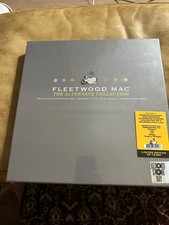
Fleetwood Mac The Alternate Collection 8LP Vinyl Box Set Sealed RSD 2022 Limited picture

Fleetwood Mac The Alternate Collection 8LP Vinyl Box Set Sealed RSD 2022 Limited

$180.00


Fleetwood Mac MIRAGE lp Warner Bros. Original Inner Sleeve 1982 VG Vinyl picture

Fleetwood Mac MIRAGE lp Warner Bros. Original Inner Sleeve 1982 VG Vinyl

$22.00


Fleetwood Mac Rumours 2024 Forest Green Vinyl LP Limited Edition Reissue NM/NM picture

Fleetwood Mac Rumours 2024 Forest Green Vinyl LP Limited Edition Reissue NM/NM

$51.00


Fleetwood Mac – Bare Trees Vinyl LP- 1977 Reprise Records MS 2080 Album picture

Fleetwood Mac – Bare Trees Vinyl LP- 1977 Reprise Records MS 2080 Album

$19.95


All times are GMT -5. The time now is 12:27 PM.


Powered by vBulletin® Version 3.8.11
Copyright ©2000 - 2026, vBulletin Solutions Inc.
© 1995-2003 Martin and Lisa Adelson, All Rights Reserved