
| |
|
|||||||
 |
|
|
Thread Tools | Display Modes |
|
#1
 12-09-2005, 04:46 PM
|
||||
|
||||
 Can anyone tell me how to make animated GIFs?
Um ... does exactly what it says on the thread, really.
Can anyone tell me how to do them, without having to go out and spend piles of money on a programme? Like a website that does them or something? I've wanted to do them for ages [there are some very cool ones on the Ledge]. Can anyone help? Thanks 
|
| . |
|
#2
12-09-2005, 04:57 PM
|
||||
|
||||
|
Quote:
there are varying ways of doing it... these are steps i usually take... depending upon the type of file input i usually convert to avi or whatever best suits once coverted depending upon the size i split once split i decompile...once decompiled i recompile... i utilize 3-4 softwares to accomplish these tasks my fav subjects are stevie and lindsey  I am not aware of any sites that specifically host animated gifs of FM but certainly i would imagine there would be some that could be found in doing a search. as i have offered other ledgies, if there is something particular you would like, you could PM me the details and I will try to create for you. im always 'up' for new projects 
|
|
#3
12-09-2005, 07:15 PM
|
||||
|
||||
|
Quote:
Looked up some stuff, downloaded some other stuff and can do it now! Huzzah!!  Thanks for the help ... here's my starter for ten.  Woo, it's tiny .... I need some practice! Thanks!
|
|
#4
12-09-2005, 07:29 PM
|
||||
|
||||
|
Quote:

|
|
#5
12-09-2005, 08:41 PM
|
||||
|
||||
|
Quote:
um...I am interested in learning also, but I dont have any programs either. where did you go and what did you download if you dont mind? and is it compatible with a mac?
|
|
#6
12-09-2005, 11:32 PM
|
||||
|
||||
|
Quote:
|
|
#7
12-10-2005, 07:09 AM
|
||||
|
||||
|
I usually use a program called VirtualDub for extracting the individual frames, then I use Jasc Animation Shop Pro to string it all together. Not too complicated, except for the part where you find mpg's of the videos you want to make icons of.
__________________
**Nick** 
|
|
#8
12-10-2005, 10:00 AM
|
||||
|
||||
|
Quote:
|
|
#10
12-10-2005, 12:56 PM
|
||||
|
||||
|
I got hold of the Gypsy video on a DVD and got the screenshots from it using my computer's DVD player [I like InterVideo WinDVD]. I took about 70 shots and then resized them to the right size ... that took some work!
I went to www.download.com and searched for GIF Movie Gear, which I downloaded. It's a really easy program to use, here's the link to the page that I got that name from: http://www.animationfactory.com/help/tutorial_gif.html Fairly straightforward but it turned out much slower than I expected ... needs a bit of fine tuning, that. Hope this helps.
|
|
|
|

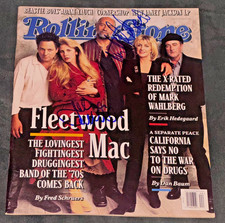
Signed John McVie Mick Fleetwood Mac Autographed Rolling Stone Magazine Auto PSA
$499.99

8x10 Print Fleetwood Mac Stevie Nicks Mick Fleetwood John McVie Signed #WDD
$13.99
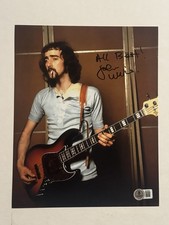
JOHN MCVIE HAND SIGNED 8x10 PHOTO AUTOGRAPHED FLEETWOOD MAC BASSIST RARE BAS COA
$127.49

Mick Fleetwood John McVie autographed Fleetwood Mac album vinyl proof Beckett
$949.99
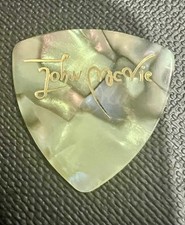
Authentic Touring Fleetwood Mac John McVie Vintage Tour Guitar Pick
$116.22


 Linear Mode

