
| |
|
#1
 11-10-2005, 03:56 PM
|
|||
|
|||
 Record (LP) to CD question
Hi,
I have heard and seen written in several articles that it is possible to convert LP's to MP3 files on ones computer. I was hoping someone could answer a few questions on this for me: 1) What software do I need, I have Windows XP. 2) What hardware do I need, I have an "mike" input jack on the computer, so used for a microphone, I don't have any other audio input jack. I already have the record player and the headphone jack on that with an adaptor and a two way connector...(Some person at a computer place already asked if I had a record player  ) )Thanks!
__________________
"I chose to dance across the stages of the world...Sometimes even I am allowed to fall."~Sweet Girl, S.Nicks "Fire on fire...blame it on my wild heart."~Wild Heart S. Nicks "What we do for ourselves dies with us, what we do for others and the world is and remains immortal"~Albert Pine "May the Force be with you..."~Star Wars

|
| . |
|
#2
11-10-2005, 11:24 PM
|
||||
|
||||
|
What you need is an adaptor that allows you to connect your turntable to your pc. The one I use is INport by Xitel and is set up to be plugged in to the USB port on your computer. It comes with all of the necessary software. I think it was $70 at CompUSA, and had a $20 mail in rebate at the time I purchased it.
To edit and compress the files, I use a free program called WavePad, but I don't remember where I downloaded it from. Last edited by Miss Vicky; 11-10-2005 at 11:27 PM..
|
|
#3
11-11-2005, 09:45 AM
|
||||
|
||||
|
i don't know much, but i know if you buy the Plus! pack for windows, the software in included. you can buy that anywhere. i'm looking into it as well.
__________________
"Check it out, I've got a gaping hole." ~ SN
|
|
#4
11-11-2005, 10:26 AM
|
|||
|
|||
|
All you need is an input jack which you connect to the back of the computer, exactly where you put the mic. Connect that to your record player. You can put it in the headphone socket or, depending on your stereo, where the speakers are attached. You'll then hear the music playing through your computer.
You then need something to record it, so download dBPowerAmp Converter. http://www.dbpoweramp.com/dmc.htm That will record the tracks as either MP3 or Wav files. The instructions are on the site. The MP3 converter is only on a 30 day trial though but Wav is better quality. I find that's the simplest way to do it for free. Once it's on your computer just use your normal way to burn the CD. Hope that helps.
|
|
#5
11-11-2005, 12:53 PM
|
||||
|
||||
|
And for the easiest way to split those tracks, try CD Wave: http://www.milosoftware.com/cdwave/.
__________________
Gaius ^ - "a selfindulged, but funny butthead of a Fin" - Shackin'up
|
|
#7
11-11-2005, 04:50 PM
|
|||
|
|||
|
Thanks for all the suggestions I'll have to review these again before visiting the computer store so that I at least sound semi-knowledgeable.

__________________
"I chose to dance across the stages of the world...Sometimes even I am allowed to fall."~Sweet Girl, S.Nicks "Fire on fire...blame it on my wild heart."~Wild Heart S. Nicks "What we do for ourselves dies with us, what we do for others and the world is and remains immortal"~Albert Pine "May the Force be with you..."~Star Wars
|
|
#8
11-11-2005, 05:11 PM
|
||||
|
||||
|
Quote:
__________________
"Me sing pretty one day" http://www.esnips.com/web/StoreboughtBands http://www.esnips.com/web/9hazels-Covers http://www.singsnap.com/snap/profile/recordings/a729e32
|
 |
|
|

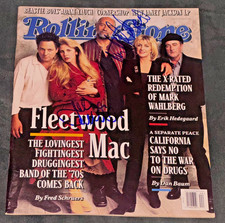
Signed John McVie Mick Fleetwood Mac Autographed Rolling Stone Magazine Auto PSA
$499.99
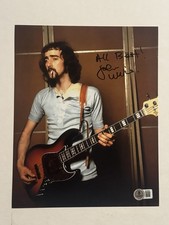
JOHN MCVIE HAND SIGNED 8x10 PHOTO AUTOGRAPHED FLEETWOOD MAC BASSIST RARE BAS COA
$127.49

Fleetwood Mac ~ Mick Fleetwood / John McVie Signed 11x14 Photo Page with JSA COA
$299.94

Mick Fleetwood John McVie autographed Fleetwood Mac album vinyl proof Beckett
$949.99
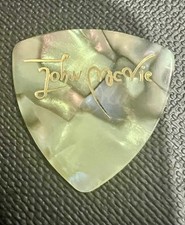
Authentic Touring Fleetwood Mac John McVie Vintage Tour Guitar Pick
$116.62


 Linear Mode

