
| |
|
|||||||
 |
|
|
Thread Tools | Display Modes |
|
#1
 02-18-2004, 05:31 PM
|
||||
|
||||
 How can you put a picture in your posts?
You know how off to the side of each post there is an icon next to a person's screen name? How can I do this. For example, dissention has a picture of Stevie throwing her hair back and forth. However, I have no idea how to do this. Thanks for any help!
__________________
Christopher  We were frail... Save us... 
|
| . |
|
#2
02-18-2004, 07:39 PM
|
||||
|
||||
 Avatar...
Click Profile
Click Edit Options Scoll down to Avatar Click Change Avatar There are TWO ways to do this: 1.) Upload from your computer hard drive. In that case, you would have to click to "save as' on the avatar you want. Click on browse to find where you saved it and then press submit modifications or 2.) Enter the URL site of the avatar you want. It HAS to be 50 x 50 pixels or smaller. Hope that helps!  __________________
**Christy**
|
|
#3
02-18-2004, 09:39 PM
|
||||
|
||||
|
How do you get a URL site though? Pay for image hosting? Is that what that is?
|
|
#4
02-18-2004, 09:47 PM
|
||||
|
||||
|
Re: Avatar...
Quote:
__________________
Christopher We were frail... Save us...
|
|
#5
02-18-2004, 10:15 PM
|
||||
|
||||
|
Homer...
IMO, it's much easier to just save as onto your hard drive, as I don't know who can host photos for free.
 Anyone know? I've put images in Yahoo, but they go down after so many people view them.
__________________
**Christy**
|
|
|
|


$5.40

$8.05

$8.05
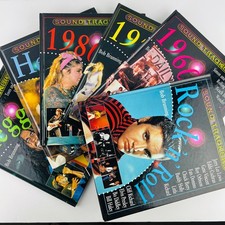
Bob Brunning Sound Trackers Music Series Hardcover 6 Book Lot Pop, Metal, Reggae
$59.99

Bob Brunning Sound Trackers Music Series Hardcover 6 Book Lot Pop, Metal, Reggae
$38.99


 Linear Mode

