
| |
|
#1
 08-23-2007, 02:32 PM
|
|||
|
|||
 Upload Question
Hi guys,
I just got a new Mac and I can't transfer all of my songs from my Itunes to my new Itunes Library. So I thought I would upload all my music from this computer and send it in large files through my email and download the link on my mac. So, how do you use this site? It is not letting me upload entire folders. It will only let me select one file (one song) to upload at a time. Is there an easier way to do this or a better website that will let me upload large folders at a time?? Any help would be appreciated. Thanks! 
|
| . |
|
#2
08-23-2007, 04:27 PM
|
||||
|
||||
|
The way you're thinking about doing it would take weeks because you would have to compress and uncompress all the folders you plan on uploading.
The easier way of doing things is going through these steps, click FILE in ITUNES, then find and click BACKUP TO DISC. Follow the steps to backup your library and make sure you label each disc, ONE, TWO, THREE so on and so fourth. When this process finishes, insert the first disc into your Mac, iTunes should open and ask you if "YOU WOULD LIKE TO RESTORE FROM THIS BACKUP DISC?" Click RESTORE and insert the next disc when prompted. When the restore is complete, check to make sure you have everything and you're all set.
|
|
#3
08-24-2007, 08:03 AM
|
||||
|
||||
|
or...
if you have an external hard drive, you can move your iTunes folder from your old computer to your external hard drive and then drop it in your Mac and voila!
|
 |
| Thread Tools | |
| Display Modes | |
|
|


8x10 Print Fleetwood Mac Stevie Nicks Mick Fleetwood John McVie Signed #WDD
$13.99
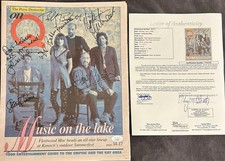
Fleetwood Mac FULLY SIGNED On Q Newspaper JSA LOA McVie Mick Fleetwood Autograph
$399.99
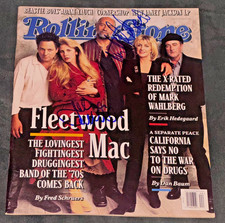
Signed John McVie Mick Fleetwood Mac Autographed Rolling Stone Magazine Auto PSA
$499.99
MICK FLEETWOOD SIGNED WINE LABEL BECKETT BAS COA AUTOGRAPHED SLABBED MAC SINGER
$235.00
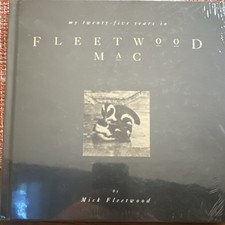
Sealed Mick Fleetwood My Twenty-Five Years in Fleetwood Mac HC 1992 Ltd Hyperion
$99.00


 Linear Mode

