
| |
|
#1
 06-14-2007, 07:48 PM
|
|||
|
|||
 iTunes help
It's really sad that I have to ask this question after having the software for like 3 years basically, but I'm having quite a problem.
Yesterday, Jazmen sent me about 15-20 files over sendspace, in an archive [I think they were called a zip drive???] So last night, after they downloaded, the only way to get them into my iTunes library, was to 'open' the file, and play the music. I had to do this twice before I realized that I better upload them into my iPod so I could have them on there permenently. But today, I opened iTunes to put some CDs of my dads in here, because I have to bring them back to his house tomorow, and all of the files were unable to be played  . .Then I tried dragging the archive into iTunes, like I do with mp3s I get off of sendspace/yousendit etc. and it won't work. Then I tried dragging in each individual song, and it won't work either  Does anybody know what I could do to get them in my library permenantly, becuase if that can't be figured out, each time I want to add/delete songs in my iPod, I will have to put the songs in each and every time, and I think we could all agree what a pain that is. Any help will be appreciated  Thank you Christine
__________________
~Christine~  Hail To the Trojan Man! 
|
| . |
|
#2
06-14-2007, 08:05 PM
|
||||
|
||||
|
you're on vista, right? i think you may not be properly extracting the files from the zip file. check this out: http://forums.cnet.com/5208-12546_10...sageID=2504197
it may be helpful!
|
|
#3
06-14-2007, 08:07 PM
|
|||
|
|||
|
actually, the itunes is on my laptop
which is an X.P. my mom has the vista on the homecomputer ill still check out the link anyways thanks
__________________
~Christine~ Hail To the Trojan Man!
|
|
#5
06-14-2007, 08:13 PM
|
|||
|
|||
|
I tried unblocking the archive, as it said, then dragging it, still no luck [i searched under 'xp zip files'].
thanks for the help though i might just have to buy an 'itunes for dummies' book 
__________________
~Christine~ Hail To the Trojan Man!
|
|
#6
06-14-2007, 08:25 PM
|
||||
|
||||
|
yeah, all you need to do is extract the files and they should all appear in a folder and then you can put them wherever you keep your iTunes files.
I use a Mac now, but I think I used WinZip or something like that when I was using Windows machines.
|
|
#7
06-14-2007, 08:40 PM
|
|||
|
|||
|
I figured it out. by mistake actually lol.
I did pretty much what Jaz just wrote, I put them in my files with my other downloads, then I just dragged them  I didnt think that I could drag them at all, but I guess I was wrong. Thanks for everyones help though! I would love to have a mac personally, but I'm stuck with my hp until college 
__________________
~Christine~ Hail To the Trojan Man!
|
|
#8
06-14-2007, 08:48 PM
|
|||
|
|||
|
Quote:
The answer the second time: "I dunno man". assholes
|
|
#9
06-14-2007, 10:06 PM
|
||||
|
||||
|
so you guys drag your songs into your itunes? huh?
I import mine. Like, go to file and import then search through them LOL probably the sucky ass long way, but it works so far. and isnt' broke. yet. lol
__________________

|
|
#10
06-14-2007, 10:27 PM
|
||||
|
||||
|
Quote:
Quote:
|
|
#11
06-15-2007, 09:20 AM
|
|||
|
|||
|
yeah, i had to show my dad how to drag songs in lol
the people at the apple store sound just as dumb as the people at circuit city when we brought my laptop in
__________________
~Christine~ Hail To the Trojan Man!
|
|
#12
06-16-2007, 03:49 AM
|
||||
|
||||
|
Maybe someone can help with my itunes problem. I had to replace our broadband router last week as the other one had been damaged in a storm. Since then I've been unable to access the itunes store. It keeps telling me to check my connection... yet I have connection to the internet. So it has to be a problem on my computer settings or ISP. But I have no idea what!
|
|
#13
06-16-2007, 09:06 PM
|
||||
|
||||
|
^^^
gosh, that I don't know. have you tried to uninstall and then reinstall iTunes? it will wipe out your iTunes, but if all your stuff is still on your computer you can just drag it back in.
|
|
#14
06-17-2007, 03:13 AM
|
||||
|
||||
|
Quote:
|
|
#15
06-17-2007, 08:37 PM
|
|||
|
|||
|
that happened to me!!
i hated that i have verizon, [actually my dad had a problem with his ipod where the songs wouldnt go into his ipod] but what we did for his problem [mine got solved with a new router...], was we saved his itunes libary in a totally diferent file, then we did what jaz said, and uninstalled itunes, then reinstalled it. then dragged the files back in. nothing was deleted. and then his ipod worked fine, what you might have to do though, is just email apple, they would probably be more helpful than circuit city or best buy [see above post ]
__________________
~Christine~ Hail To the Trojan Man!
|
 |
|
|

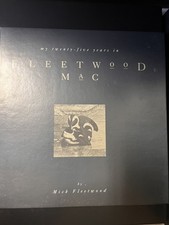
My 25 Years in Fleetwood Mac by Mick Fleetwood Hardcover Print 1992 CD included
$8.50
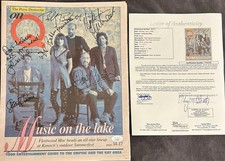
Fleetwood Mac FULLY SIGNED On Q Newspaper JSA LOA McVie Mick Fleetwood Autograph
$399.99
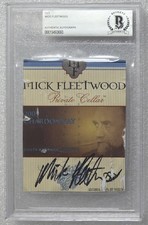
MICK FLEETWOOD SIGNED WINE LABEL BECKETT BAS COA AUTOGRAPHED SLABBED MAC SINGER
$235.00

Fleetwood Mac ~ Mick Fleetwood / John McVie Signed 11x14 Photo Page with JSA COA
$299.94
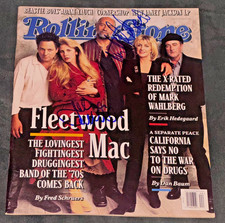
Signed John McVie Mick Fleetwood Mac Autographed Rolling Stone Magazine Auto PSA
$499.99


 Linear Mode

