
| |
|
#1
 04-11-2004, 08:02 PM
|
||||
|
||||
 Avatars
I can't seem to upload my avatar. Can anyone help me with that ???? Thanks.
Debbie 
|
| . |
|
#2
04-11-2004, 09:21 PM
|
||||
|
||||
|
The maximum size of the avatar image is 50 by 50 pixels or 19.5 KB (whichever is smaller). If you are a supporting Ledgie (see the Paid Subscription option in the User CP), it can be 75 x 75. If it is smaller than this by dimensions and size and you are still having problems, please let me know. Thanks.
- Marty
|
|
#3
04-11-2004, 09:49 PM
|
|||
|
|||
|
I tried to change mine, and ended up deleting it and now I can't figure out how to get it back...
The little box that says "do not use avatar" won't let me undo it...and I can't seem to figure out how to get it back either....and it's my old one, so I know the size is okay....
|
|
#4
04-11-2004, 09:52 PM
|
||||
|
||||
|
You likely have to go to the Custom Avatar section below that and find you avatar on the web or your computer. Once it has been selected, click on the Save Changes icon at the bottom. That should do it.
- Marty
|
|
#5
04-11-2004, 09:58 PM
|
|||
|
|||
|
There is no custom avatar section that I'm seeing.
All that pops up in the edit avatar section is the little box that explains what an avatar is, then has the no avatar bubble...then a note that if you have a custom one clicking the bubble will delete it.... That's all I'm seeing...and it won't let me undelete or do anything else...am I missing something?
|
|
#6
04-11-2004, 10:08 PM
|
||||
|
||||
|
DrummerDeanna--
Please go look again now. In the settings, the options for custom avatars was indeed turned off but now I have it corrected. You can upload one that is 125% larger too as you are a 'Supporting Ledgie'. Thanks for that. - Marty
|
|
#7
04-11-2004, 10:15 PM
|
|||
|
|||
|
Thanks!! It is, indeed, working now
 And thank YOU for keeping this great site going...it's my favorite place on the web... 
|
|
#8
04-12-2004, 12:15 AM
|
||||
|
||||
|
Yep...
Quote:
__________________
"To acknowledge death is to accept freedom and responsibility."
|
|
#10
04-12-2004, 07:05 AM
|
||||
|
||||
|
Thanks, Penguin. It worked.
I love the new Ledge. It's awesome  Debbie
|
|
#11
04-12-2004, 07:09 AM
|
||||
|
||||
|
Quote:
http://www.mihov.com/eng/ir.html Hope this helps. Debbie
|
|
#12
04-12-2004, 07:09 AM
|
||||
|
||||
|
Quote:
Pip
|
|
#13
04-12-2004, 07:11 AM
|
||||
|
||||
|
Quote:
Deb
|
|
#14
04-12-2004, 09:40 AM
|
||||
|
||||
|
"I know this is a dumb question, but how do you reduce the size of an avatar image down to 50 x 50 or 75 x 75 if you're a supporting member?"
Reply With Quote Quick reply to this message I use Photoshop 7. I downloaded it free off of Kazaa. It's easy. Edit, image size, 50 x 50, done. How do you quote with this new board??
|
|
#15
04-12-2004, 10:16 AM
|
|||
|
|||
|
Quote:
Click the "Quote" button at the bottom right hand corner of the post you want to quote.
|
 |
|
|

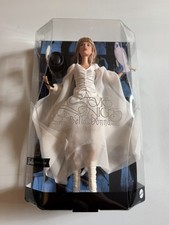
Barbie Stevie Nicks Bella Donna White Dress Doll BRAND NEW
$74.98
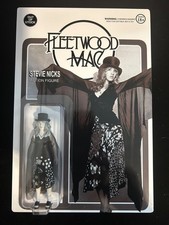
Stevie nicks Fleetwood Mac action figure
$130.00

Stevie Nicks Vintage Tshirt, Don't Be A Lady Be A Legend Shirt
$6.99
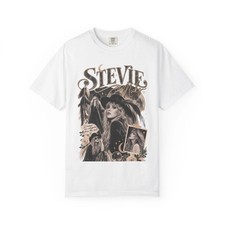
Stevie Nicks Vintage washed Rock Singer portrait T-Shirt FREESHIP
$12.75
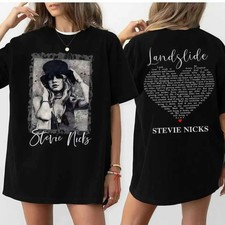
Vintage Stevie Nicks 2 Side Unisex Tshirt Hollywood, Don't Be A Lady Be A Legen
$10.49


 Linear Mode

