
| |
|
#1
 03-14-2004, 11:36 AM
|
||||
|
||||
 VCR Hookup Help!
I am trying to hook up either of my VCRs and they both play a tape fine but I can't get either one to record. The directions are of no use to me. Is there anyone out there that has any advice? I need to get it to work for tonight.
 
|
| . |
|
#2
03-14-2004, 11:51 AM
|
||||
|
||||
 Do you...
have the input line going into the VCR??? (Be it from the a cable line, cable box or via RCA cables with newer Televisions.) From the description on your post that may be the problem you are having.
Brian j.
__________________
"To acknowledge death is to accept freedom and responsibility."
|
|
#3
03-14-2004, 11:58 AM
|
||||
|
||||
 Here's a link...
to a basic diagram that shows how to hook up your VCR:
http://www.atvc.net/diagram_vcr.html If you follow the very basic directions on the diagram you're VCR should be able to record. (If you do not have a receiver/cable-box/etc. just connect the line to the input of your VCR) Brian j.
__________________
"To acknowledge death is to accept freedom and responsibility." Last edited by estranged4life; 03-14-2004 at 12:00 PM..
|
|
#4
03-14-2004, 12:11 PM
|
||||
|
||||

Thanks for the link Brian. I printed it out. I am going to see if I hooked it up like this. I still have a yellow cable and a red and white cable that i am not sure I hooked up correctly.
|
|
#5
03-14-2004, 12:25 PM
|
||||
|
||||
|
No luck
 Even the REC on the top corner does not come on the corner of the TV screen when I try to record. Even the REC on the top corner does not come on the corner of the TV screen when I try to record.
|
|
#6
03-14-2004, 12:28 PM
|
||||
|
||||
|
I have 2 yellow holes( for video) for an IN and OUT on the back of the VCR I only have one yellow hole ( can't see if its an IN or OUT) on the back of the TV. I don't know if this is the problem.
|
|
#7
03-14-2004, 12:45 PM
|
||||
|
||||
|
Hmm...
Quote:
__________________
"To acknowledge death is to accept freedom and responsibility."
|
|
#8
03-14-2004, 12:52 PM
|
||||
|
||||
|
Re: Hmm...
Quote:
I am ready to give up. I don't why I pulled everything out. I should have just left it alone.
|
|
#9
03-14-2004, 01:26 PM
|
||||
|
||||
|
Re: Re: Hmm...
Quote:
Brian j.
__________________
"To acknowledge death is to accept freedom and responsibility."
|
|
#10
03-14-2004, 01:48 PM
|
||||
|
||||
|
I DID IT!! I DID IT!!! YEA!!
Thank you for all of your help Brian. I think that I had those stupid RCA cables connected when I did not need them. I took them out and I set the date and the CATV switch on screen and then I set the VCR channel to 3 and Voila! it worked! I just need to go buy some VHS tapes now. Any advice for a really good brand?
|
|
#11
03-14-2004, 03:21 PM
|
||||
|
||||
|
Glad to hear you have it working, Pattie.
 I've had the best luck with Maxell and TDK, but you really can't go wrong with any brand of blank video-cassette, as long as you get the "premium quality." Also, record your program in SP mode for peak sound & video quality. You get less recording length out of the video-cassette (just slightly over 2 hours, as compared to 6 hours on SLP), but you get the best overall quality. Happy recording! 
__________________
"Although the arrogance of fame lingers like a thick cloud around the famous, the sun always seems to shine for Stevie." -- Richard Dashut, 2014
|
|
#12
03-14-2004, 03:47 PM
|
||||
|
||||
|
Quote:
Great Johnny Stew, I just got some Sony Premium tapes on sale at Walgreens for .99 cents can't go wrong with that. So SP mode it is. I don't have anything worthwhile on TV to tape anyway. Thanks again!
|
|
#13
03-14-2004, 05:36 PM
|
||||
|
||||
|
Sony's are great...
to use, so ¢.99 isnt a bad price
 Glad you were able to get the VCR to work/record. I know how tough it can be to hook up electronics (I had So Much Fun hooking up my new stereo & burner this past Wednesday when they arrived...) Brian j.
__________________
"To acknowledge death is to accept freedom and responsibility."
|
|
#14
03-14-2004, 06:21 PM
|
||||
|
||||
|
Great, now I have green scrolling lines up and down the TV, It's the stupid cable TV.
 I guess I won't be able to make a good VHS tape copy after all unless they go away be 9PM which I doubt. I guess I won't be able to make a good VHS tape copy after all unless they go away be 9PM which I doubt.
|
|
#15
03-14-2004, 08:02 PM
|
||||
|
||||
|
I got rid of the lines. Loose wire.
Just one more hour to go!!
|
 |
|
|

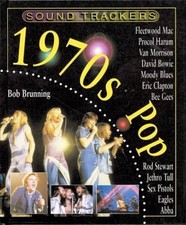
$5.40
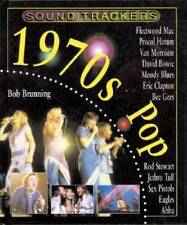
1970s Pop - Hardcover By Brunning, Bob - GOOD
$3.40

Fleetwood Mac: The First 30 Years, Bob Brunning
$6.91
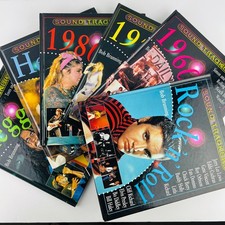
Bob Brunning Sound Trackers Music Series Hardcover 6 Book Lot Pop, Metal, Reggae
$59.99

Heavy Metal by Bob Brunning - Hardcover 1999 - VERY GOOD
$8.44


 Linear Mode

